A catering CRM with every customer, job and message on one timeline.
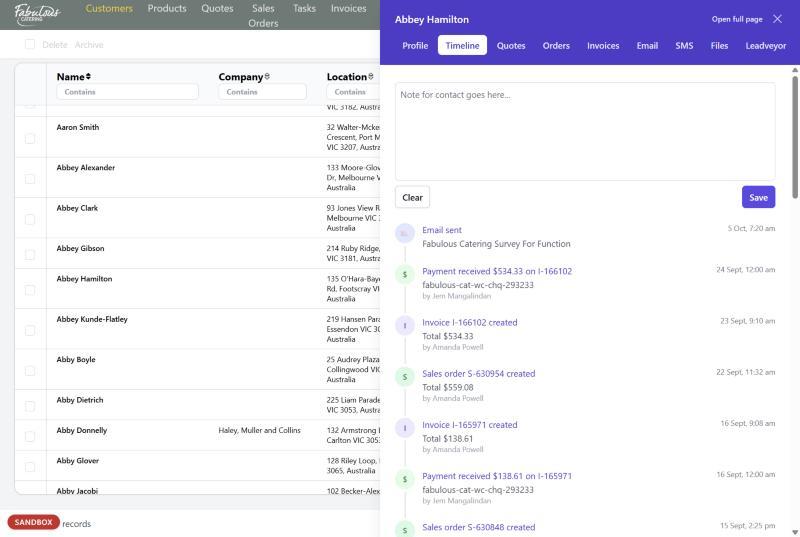
Contacts and companies keep every quote, order, invoice, payment, email and text in one place. Anyone on your team can pick up where the last person left off.
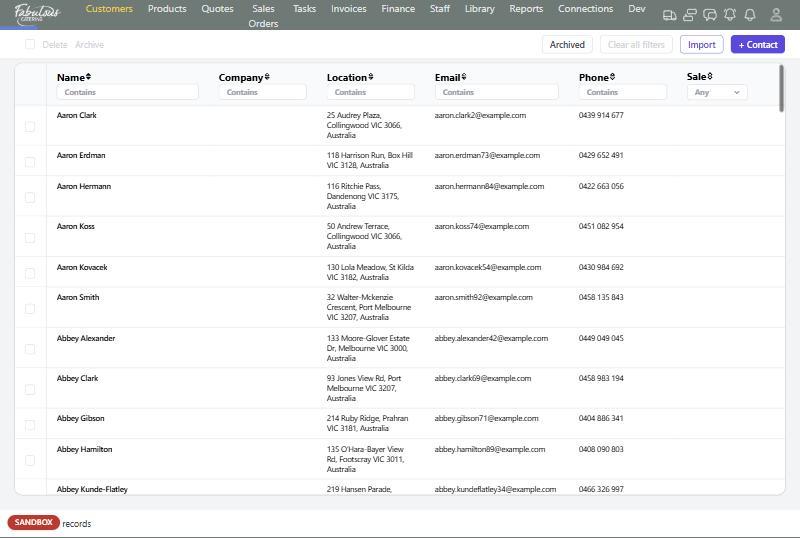
Contacts and companies
People and organisations are kept separately and linked. A company places the order; the person is the contact on it.
- Sale value level (Regular, High or Gold) and VIP flag
- Private customers and business customers
- Filter any column to find a customer in seconds
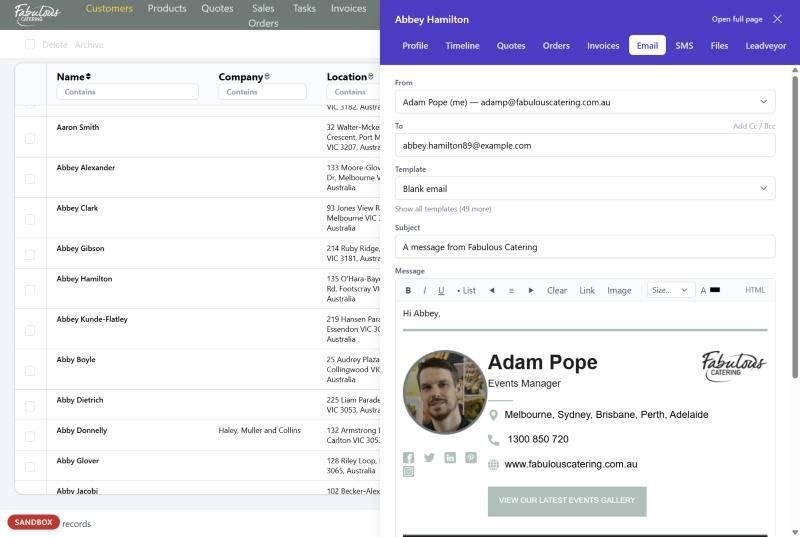
Email and text from the record
Write an email from a template with your own signature, or send a text. Every message lands on the customer's timeline.
- Templates for quotes, orders and invoices
- Your own From address for each trading name
- A character counter for texts
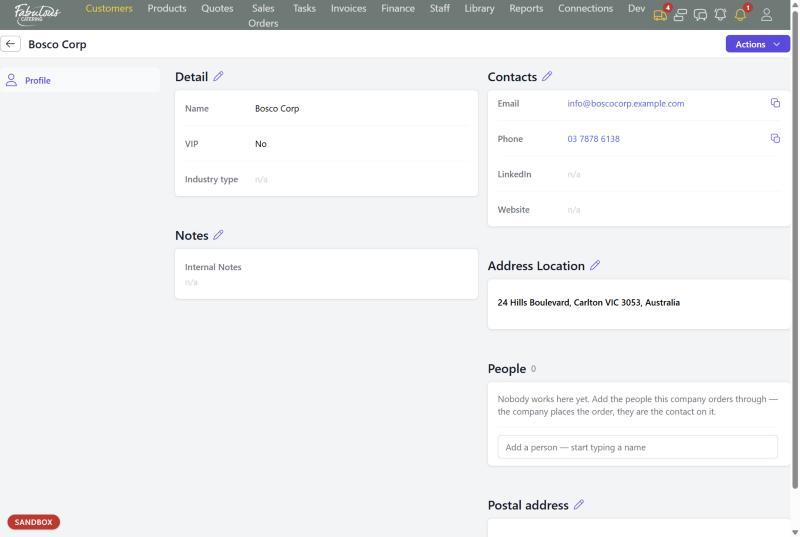
Everything about a company
A company page holds its details, contacts, notes, addresses and the people who order on its behalf.
- Industry type and VIP status
- Location and postal addresses
- Staff-only files the customer never sees
Four steps, most of them automatic.
Search first
Type a name, email or phone into the filter row.
Add if new
Create the contact, or the company with its people.
Quote from the record
Start a quote with the customer already filled in.
Everything is logged
Emails, orders, invoices and payments land on the timeline.
Customers: common questions
Can I import my existing customer list?
Yes. Upload a CSV, XLS or XLSX file from the Contacts list.
Do replies to texts come back into BooperCRM?
Not yet. Texts go from your company number and replies go to that number.
Works together with the rest of the day.
See customers with your own menu.
Start a 14-day free trial, or book a 30-minute demo.