Catering reports with your Monday numbers already done.
Ten built-in reports answer the questions caterers ask every week, from what's on and who owes money to who converts the most quotes. Several email themselves on a schedule.
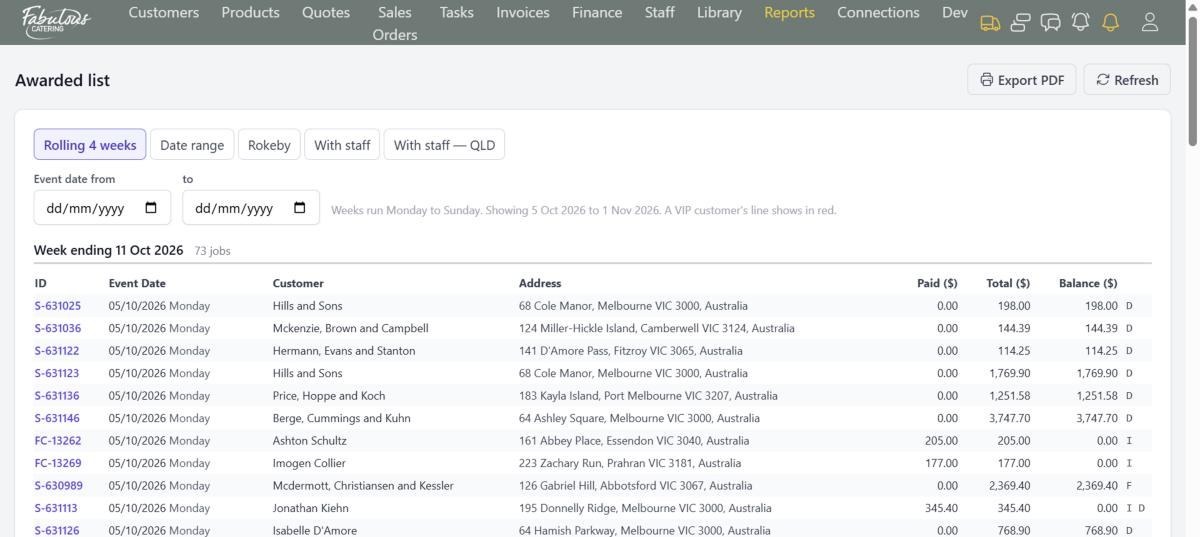
What's on and who owes
The Awarded list is the run sheet of confirmed jobs week by week, with what each customer has paid and still owes, totalled by week and by state.
- Rolling four weeks or any date range
- Delivery, function and invoiced flags on each line
- VIP customers highlighted
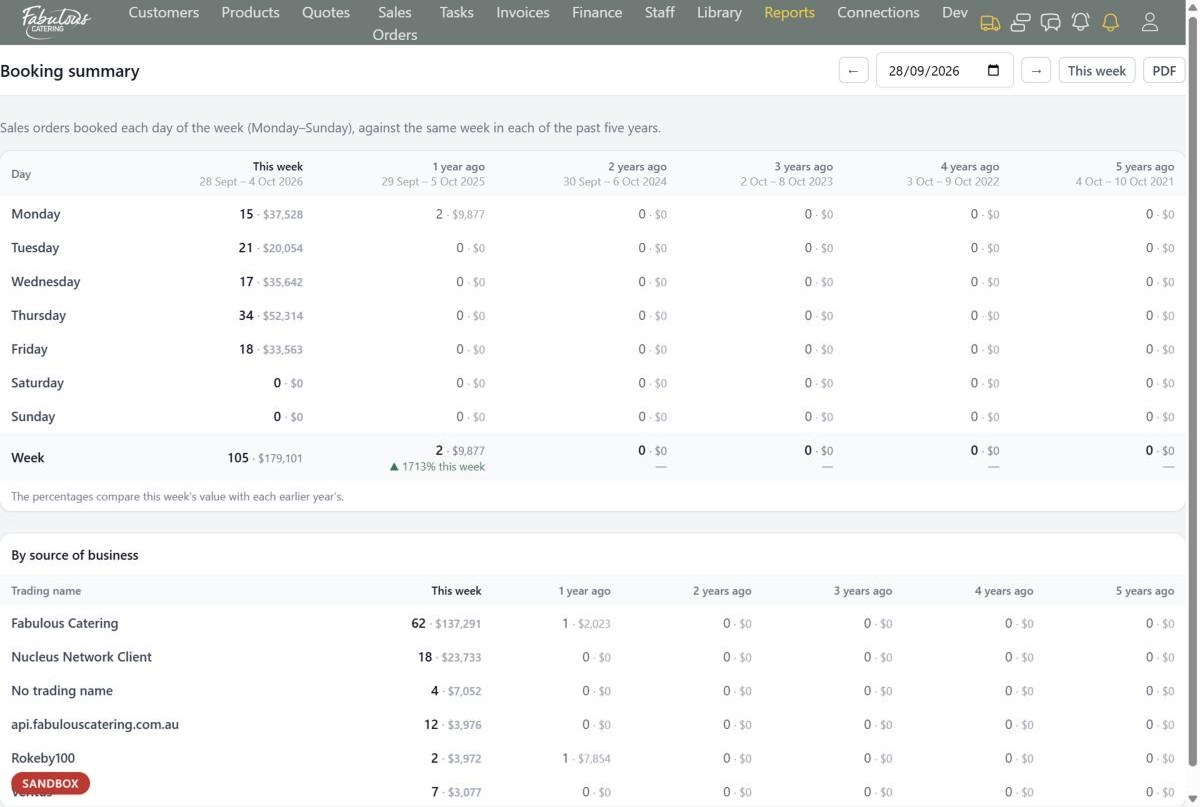
What we booked, and against last year
Bookings taken shows what each person and each trading name booked in a period. Booking summary sets this week beside the same week in each of the past five years.
- From quotes or written direct
- A day-by-day chart
- Percentage change against each earlier year
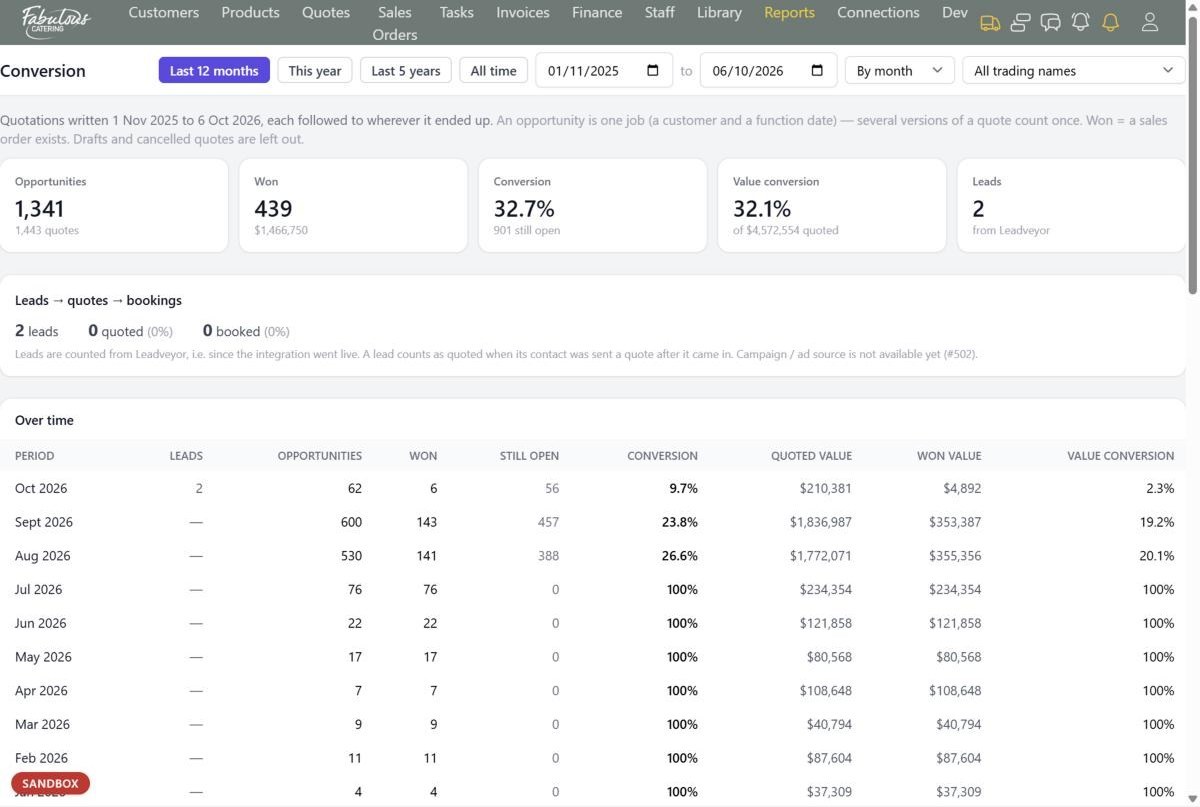
Who converts best
Sales insights joins Leadveyor leads and follow-ups to quotes and bookings. Conversion follows every quote to wherever it ended up.
- Overdue follow-ups, oldest first
- Conversion by person, catering style and function type
- Value conversion as well as count
Four steps, most of them automatic.
Pick a report
Each one answers a single question.
Set the dates
Shortcuts for this week, next week and more.
Export
Print to PDF for the meeting.
Schedule it
Have it emailed every day or week.
Reports: common questions
Which reports can email themselves?
Bookings taken, Booking summary, the Confirmation register, the Awarded list, kitchen labels, new orders taken today, and failed emails and texts.
Can I export the data?
Yes. Every list exports the rows you've filtered to Excel.
Works together with the rest of the day.
See reports with your own menu.
Start a 14-day free trial, or book a 30-minute demo.