Home / Product tour

Catering software tour: every screen before you book a demo.

These are real screens from BooperCRM's practice system, with made-up customers. Click any screenshot to see it full size.

Dashboard

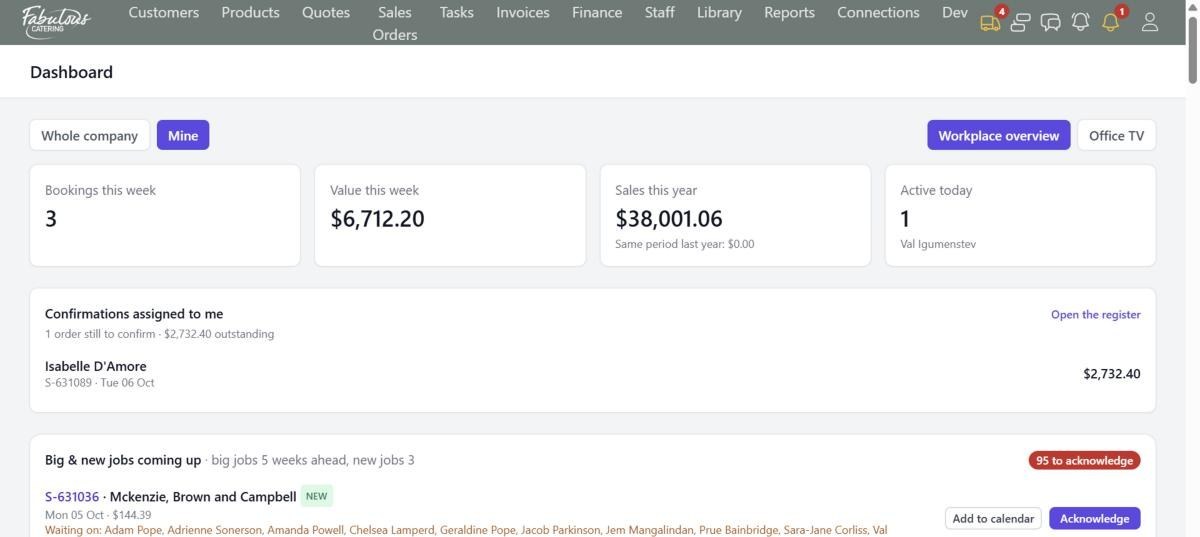
Open BooperCRM and today's work is already waiting: bookings and value this week, sales against last year, confirmations you owe, and big jobs coming up.
No morning spreadsheetNo asking who's doing what
The Dashboard switched to Mine: your bookings, your sales, your confirmations.
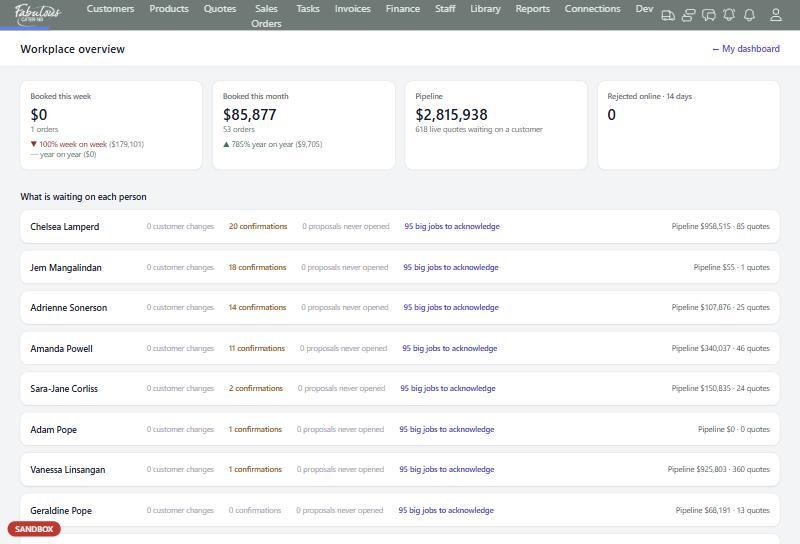
Workplace overview: what's waiting on each person, and the live pipeline.
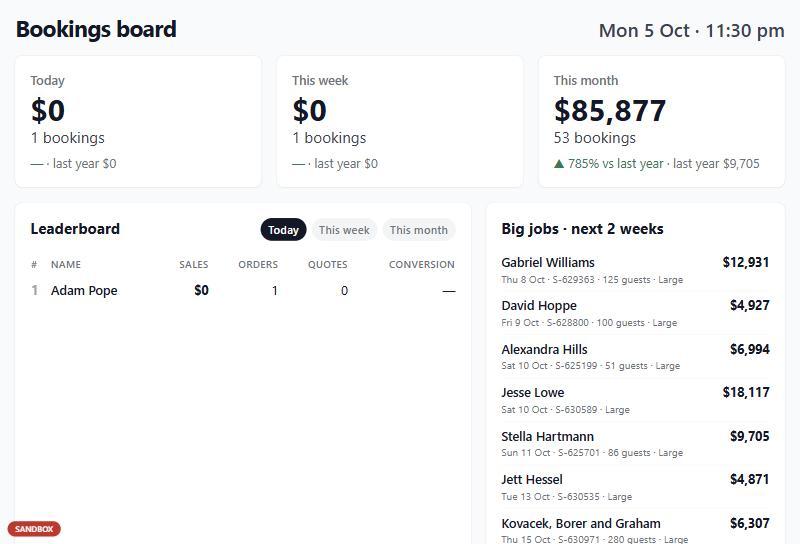
Office TV: a full-screen bookings board and leaderboard for the office wall.
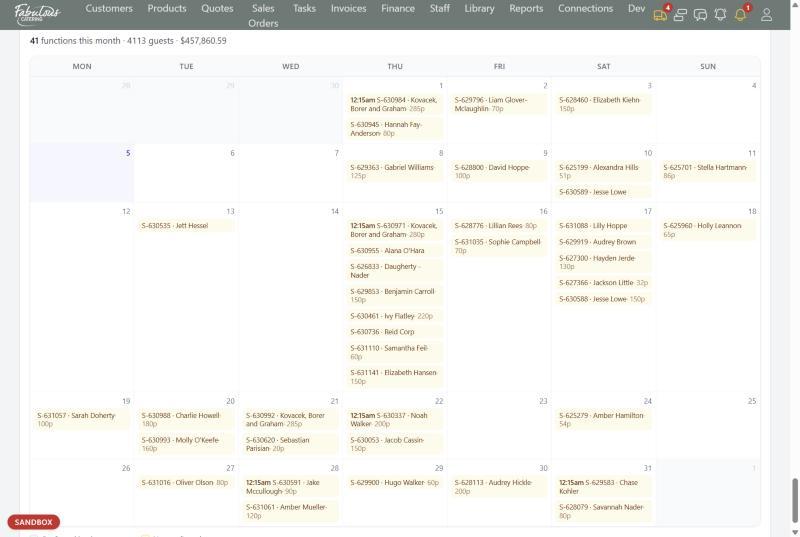
Large functions this month, with guest numbers and value.

Customers

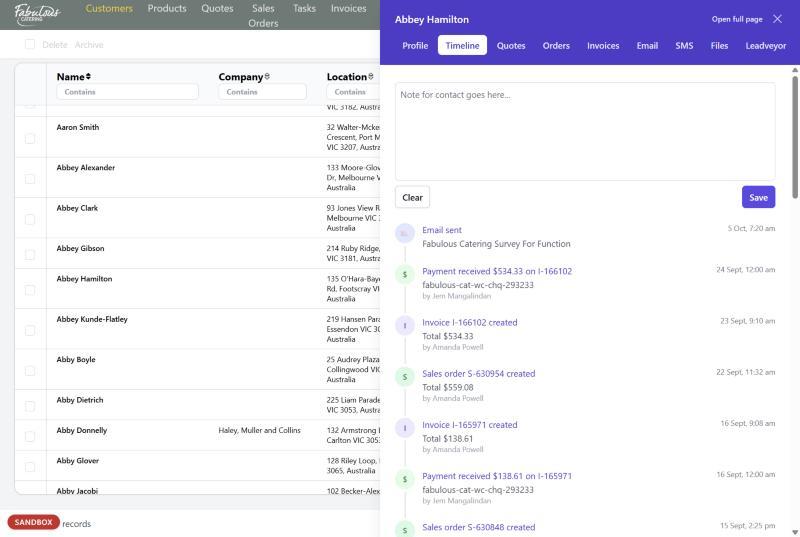
Every person and company has one timeline with every quote, order, invoice, payment, email and text. Email or text them without leaving the record.
No digging through inboxesNo duplicate customers
The contact timeline: emails, orders, invoices and payments, with who and when.
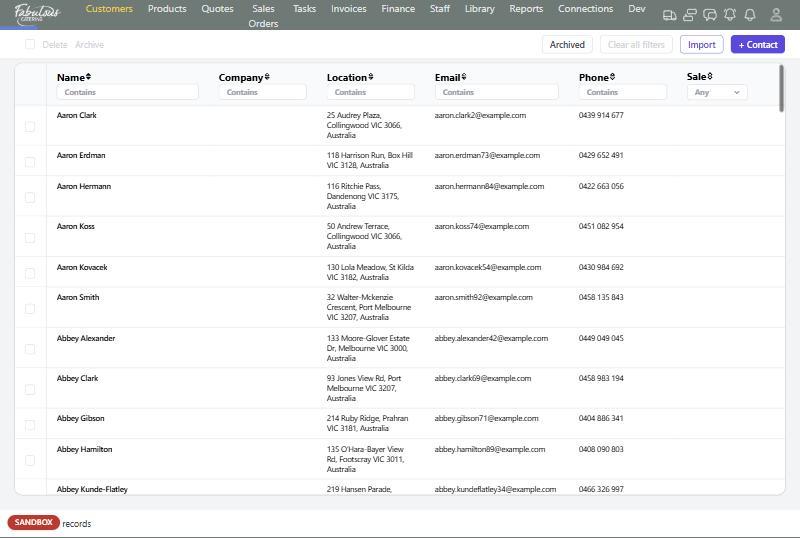
The contacts list with a filter under every column.
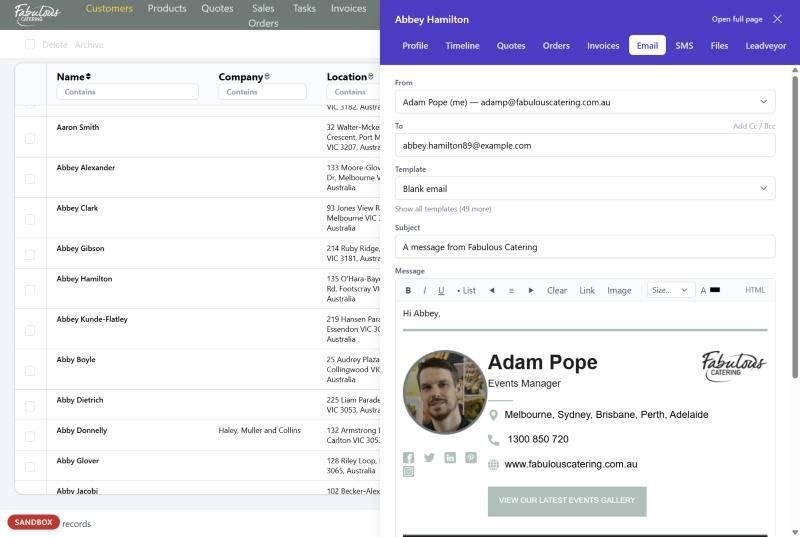
Email from a template, with your signature added automatically.
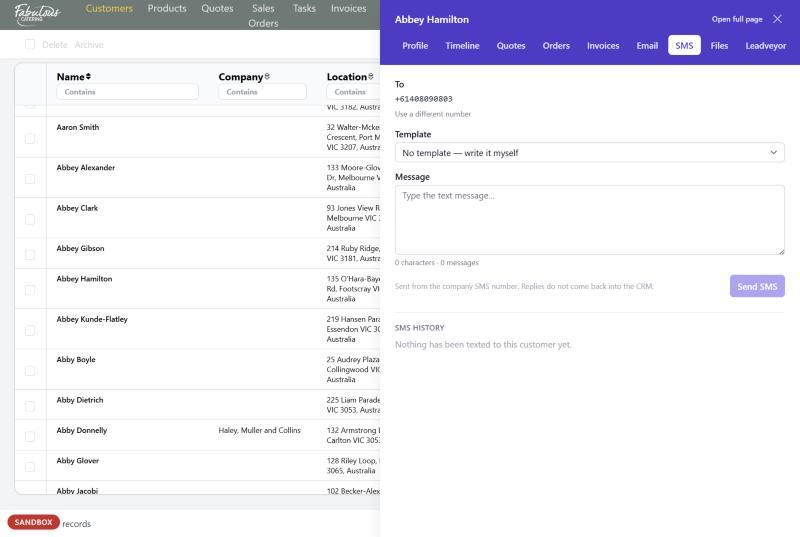
Text a customer, with a live count of message parts.
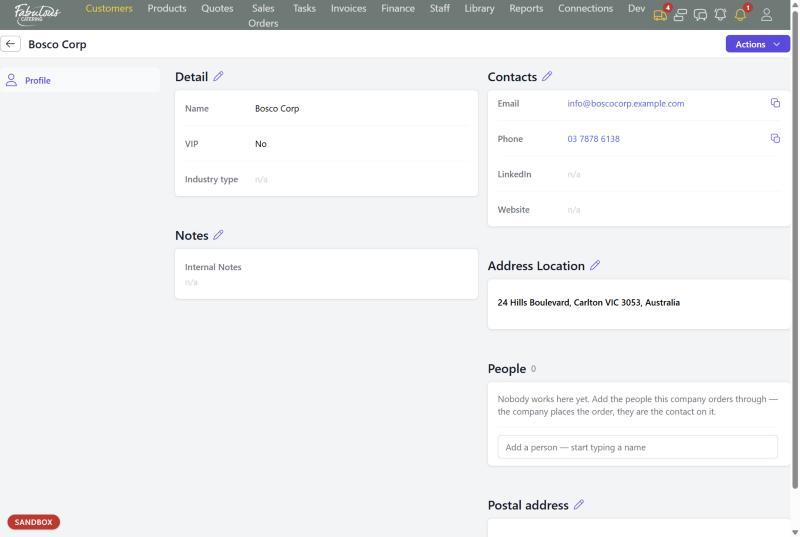
A company page with the people who order on its behalf.

Products

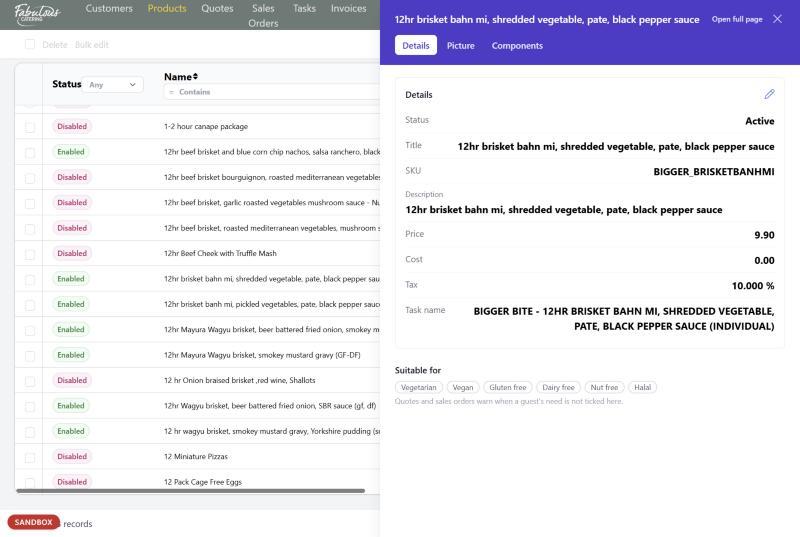
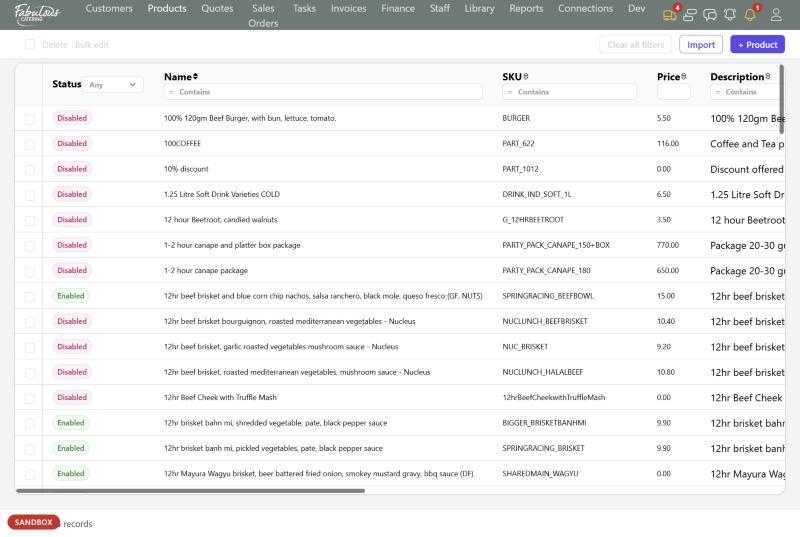
Each product knows its price, cost, tax, whether it's hot or cold, which dietaries it suits and which kitchen station makes it.
No dietary mistakesNo updating prices one by one
A product with its dietary suitability chips.
The catalogue, filtered by status, name, SKU, price or category.
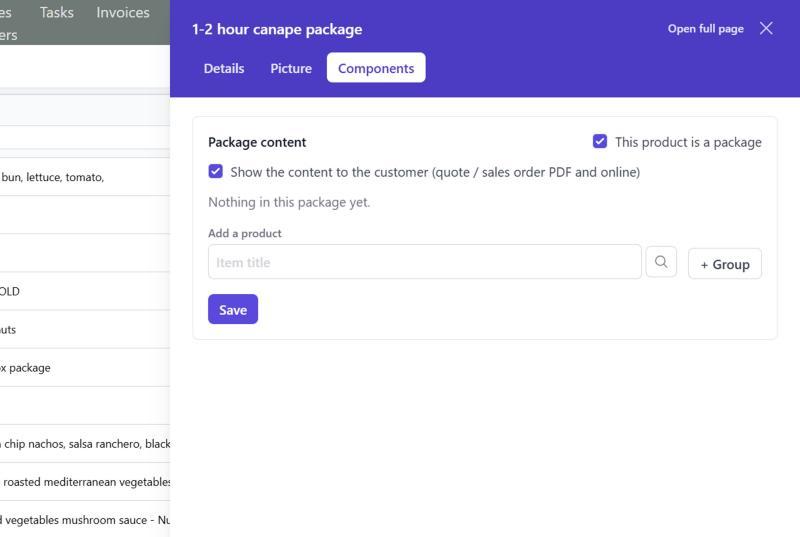
Packages sell as one line but create one kitchen task per item.
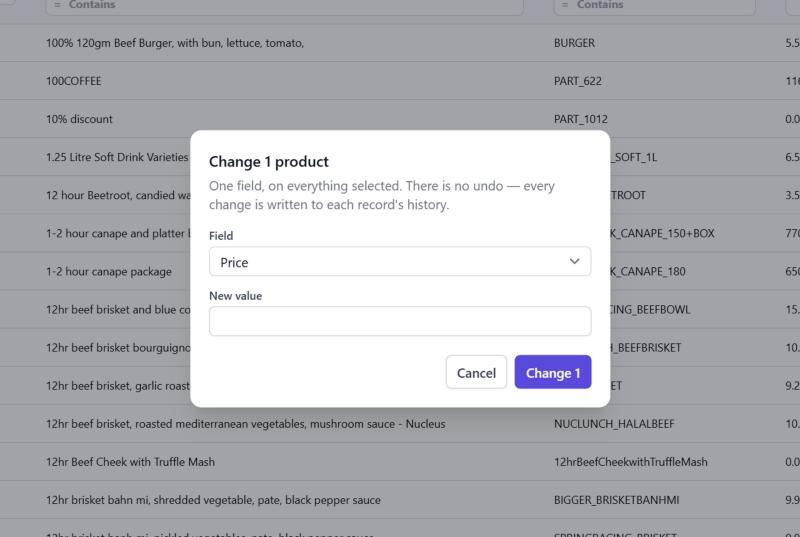
Change the price, category or hot/cold setting on many products at once.

Quotes

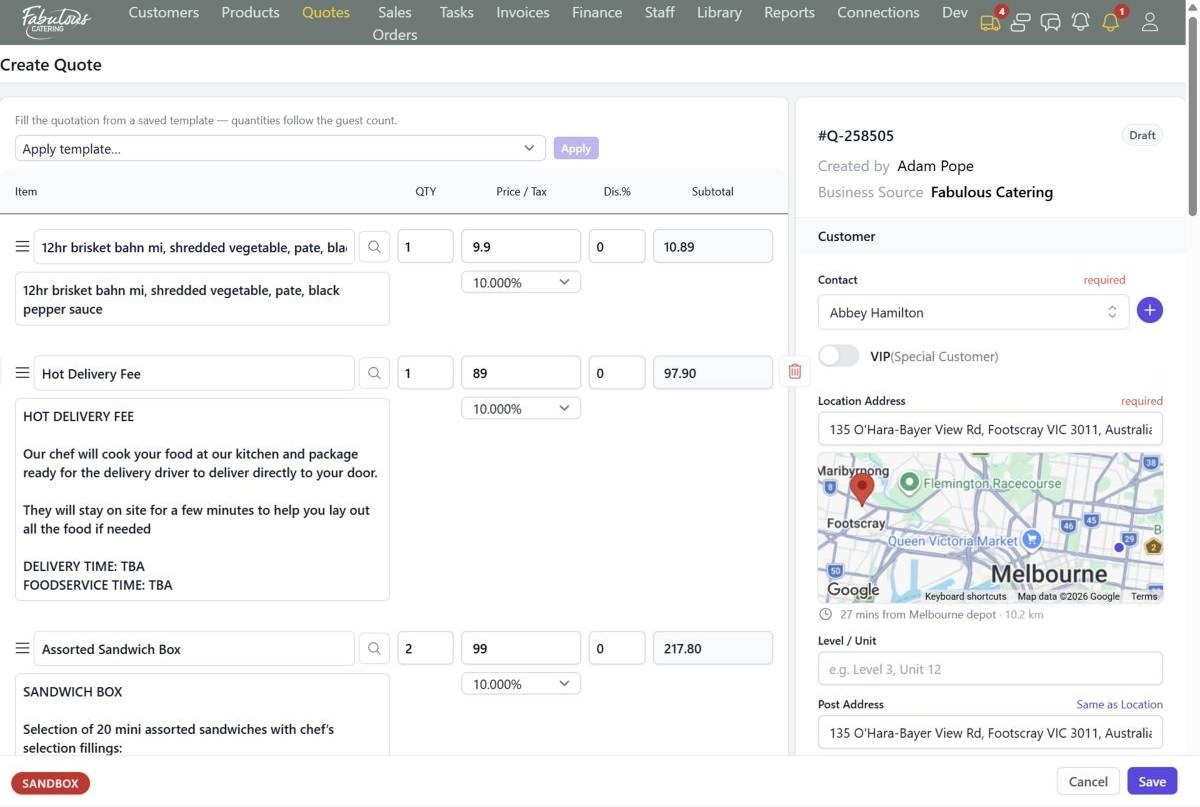
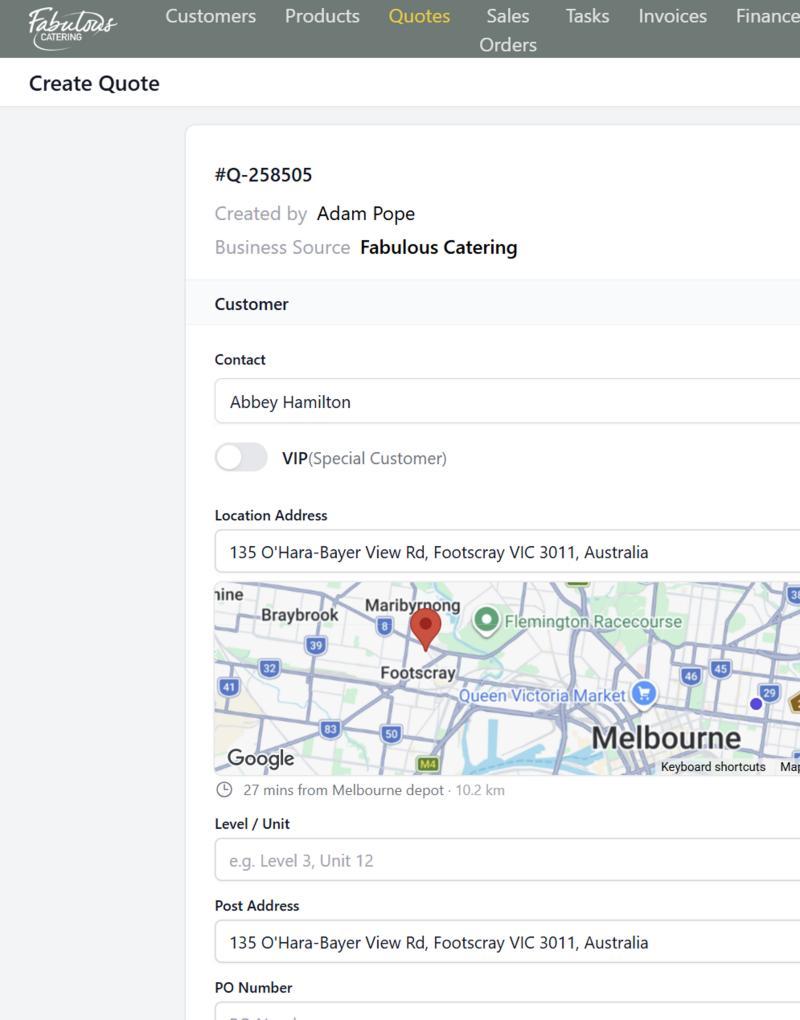
Apply a saved menu and the quantities follow the guest count. The CRM checks dietaries, minimums, drive time and blocked dates before the quote goes out.
No building menus line by lineNo surprise long drives
A quote with its lines, totals and the mini map.
The mini map shows the drive time and distance from your depot.
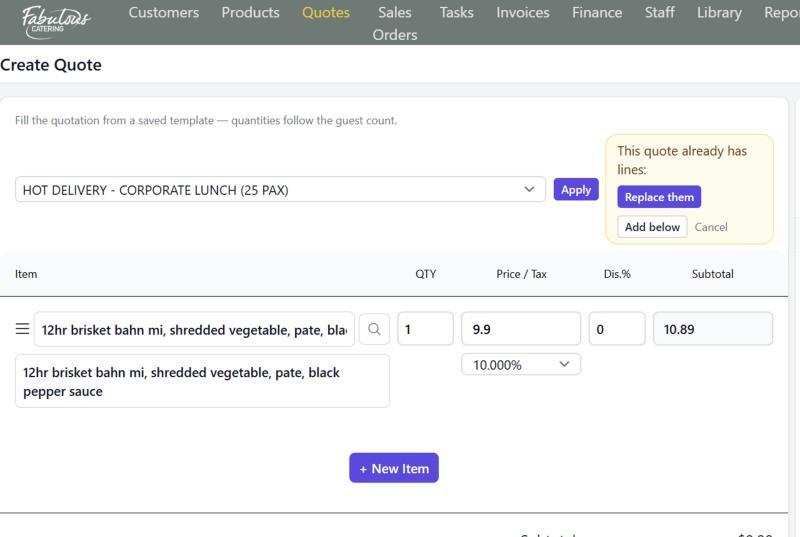
Fill a quote from a template, scaled to the guest count.
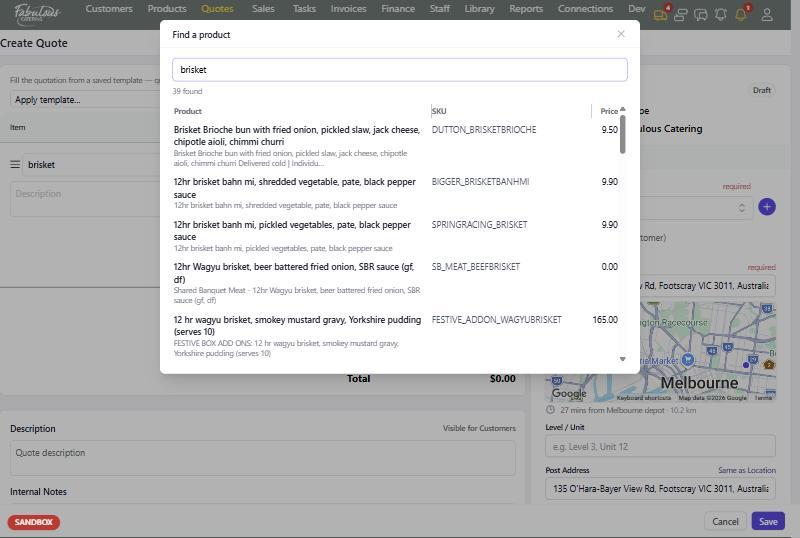
Search the whole catalogue by name or SKU without leaving the quote.
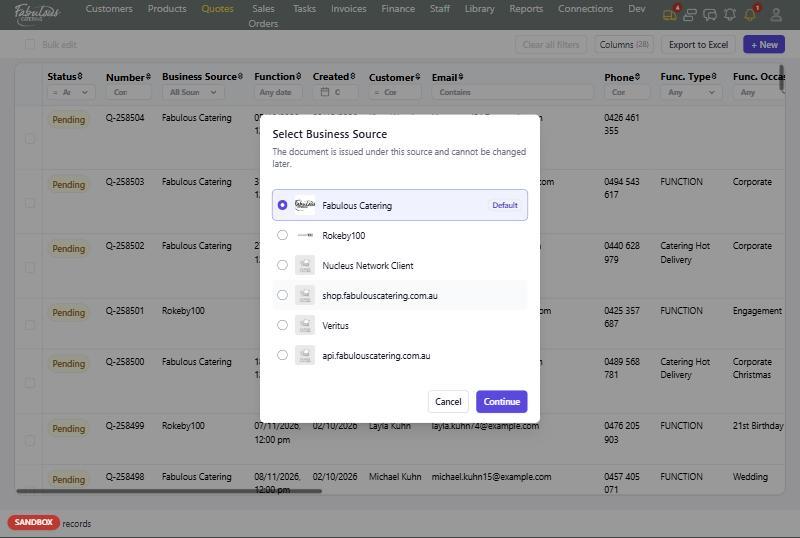
Choose the trading name the quote goes out under.

Sales orders

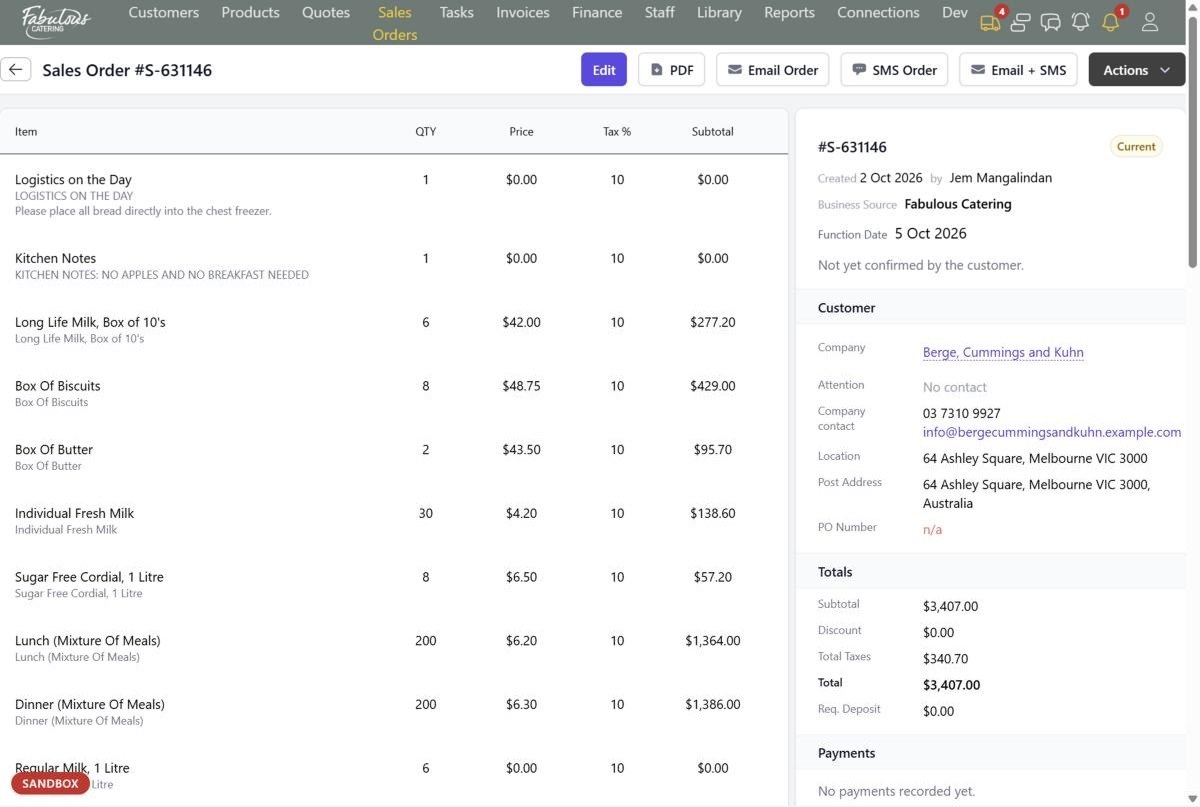
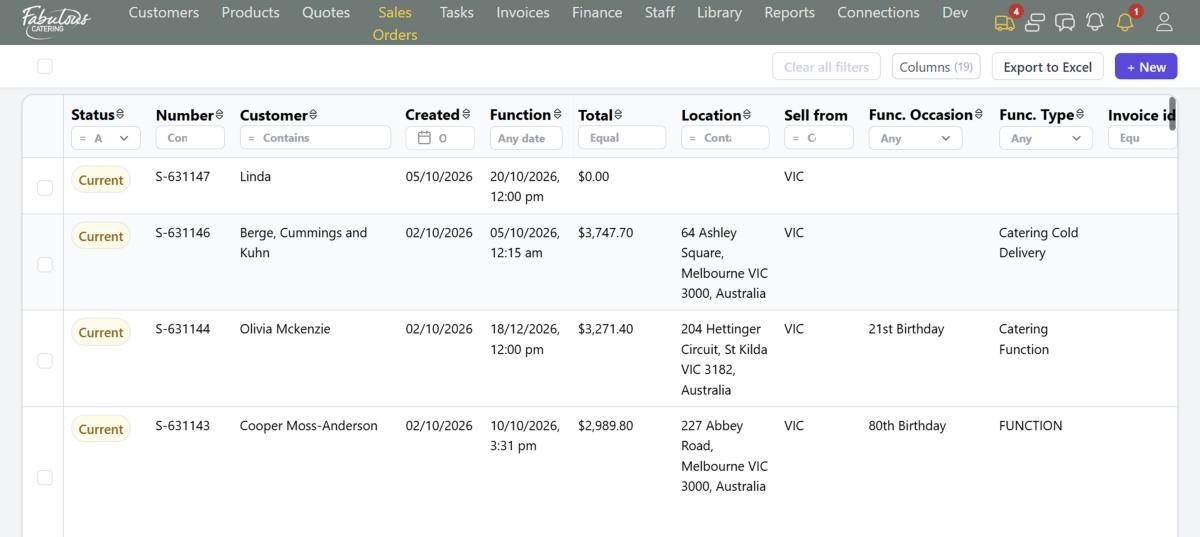
An accepted quote becomes a sales order with everything carried across. It drives the kitchen, the confirmation, the delivery and the invoices.
No re-typing a bookingNo lost change requests
A sales order: items on the left, everything about the job on the right.
The sales orders list.
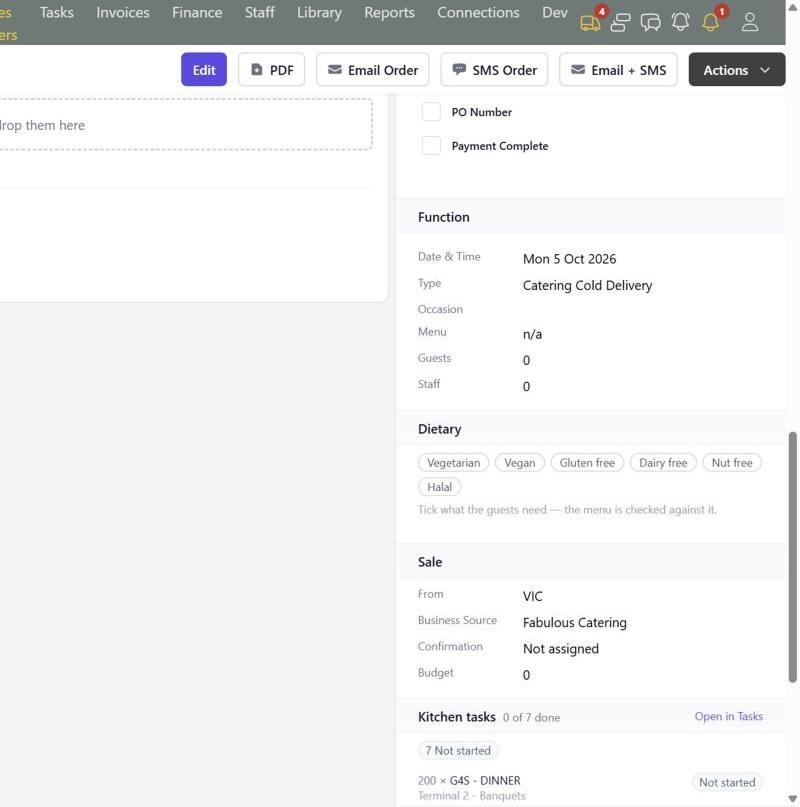
Function, dietary, sale and kitchen task blocks on the order.
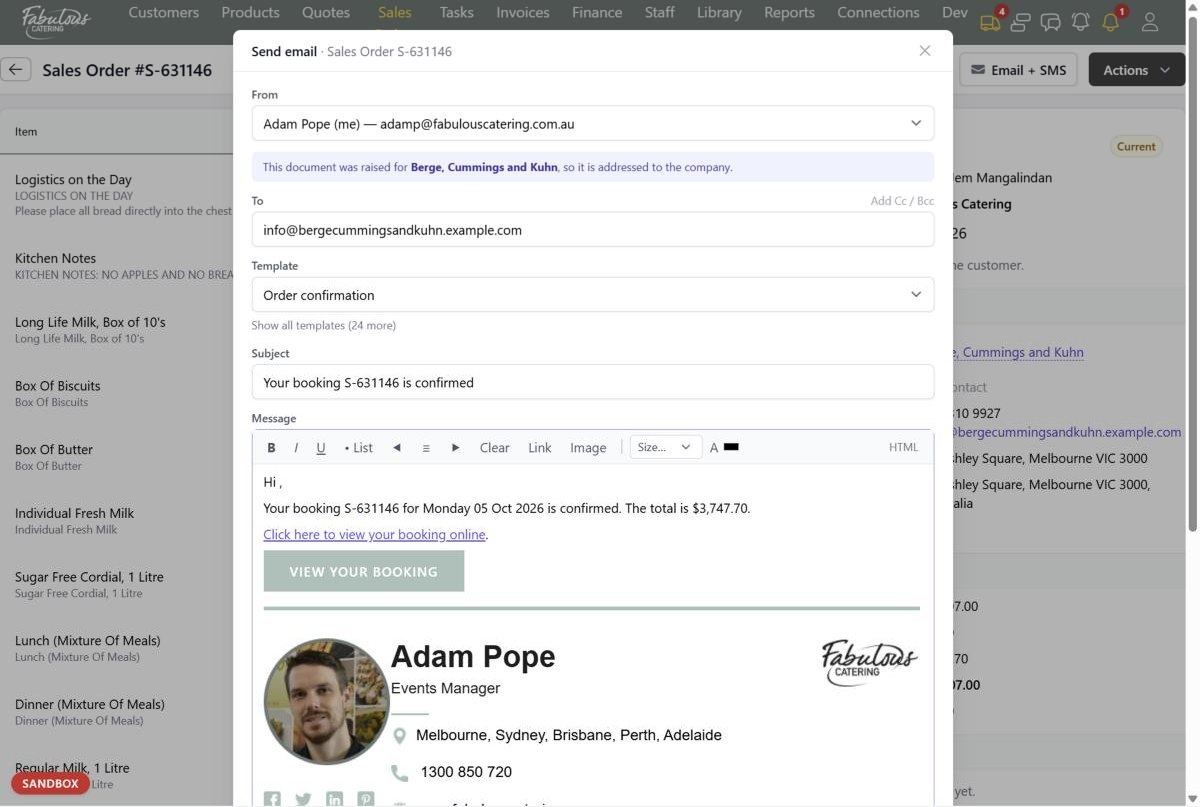
Email the order with a View your booking button for the customer.

Confirmation

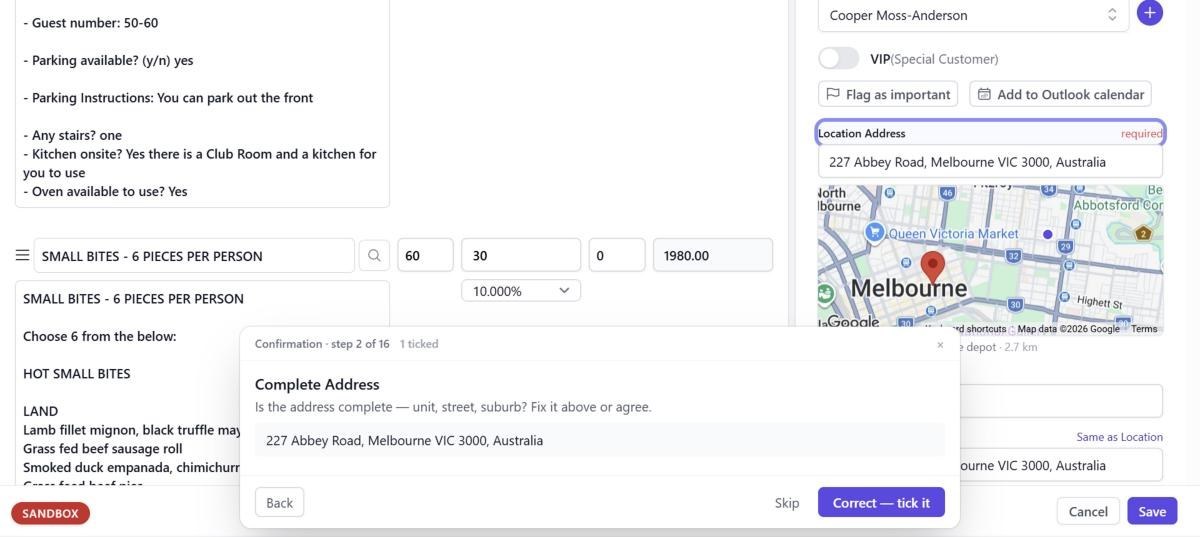
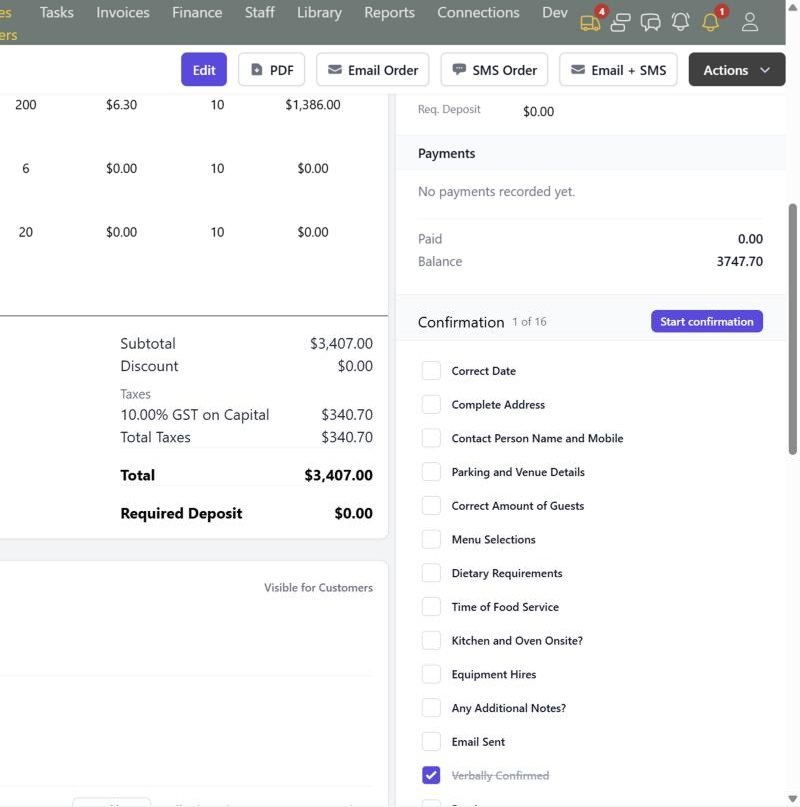
Every job is confirmed against the same 16-point checklist, one question at a time, before the day.
No forgotten parking detailsNo missing PO numbers
Start confirmation walks through the checklist and highlights each field.
The confirmation block, with payments above it.
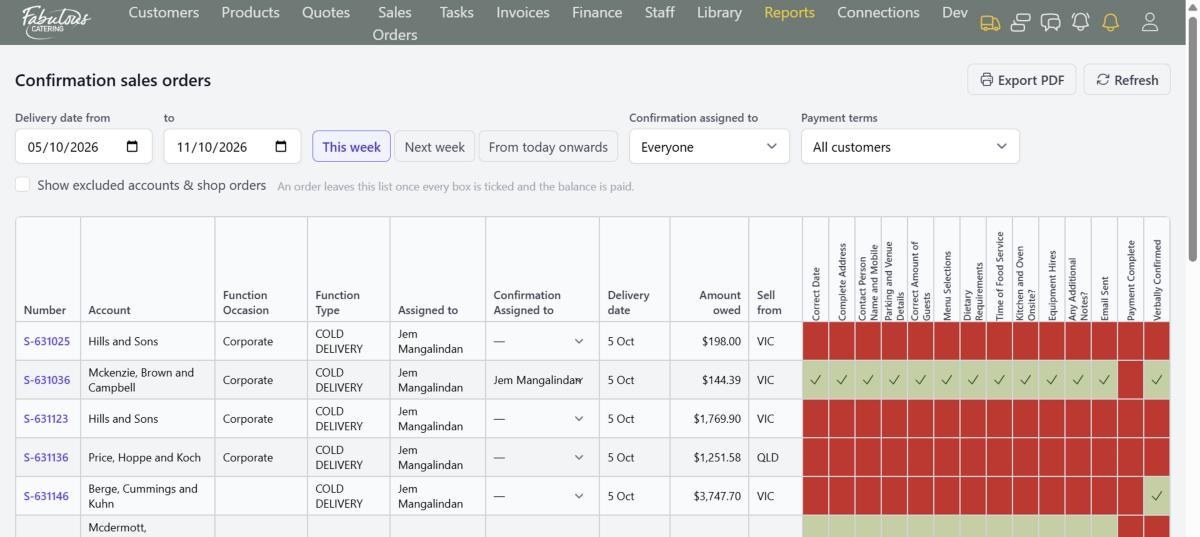
The confirmation register: green is ticked, red is not.

Your customer's page

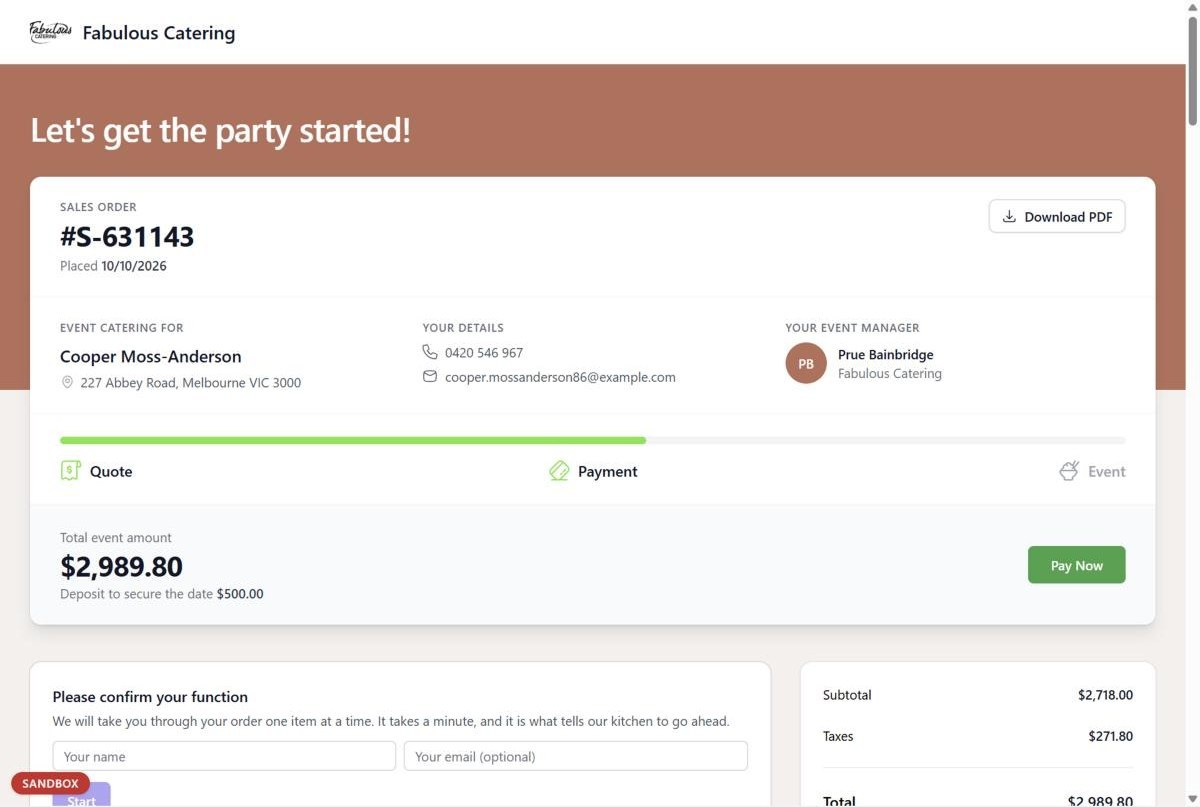
Customers get their own page for each order. They see the progress, confirm their function, ask for changes and pay by card.
No phone tag for a yesNo chasing deposits
What the customer sees: Quote, Payment and Event, with Pay now.

Kitchen

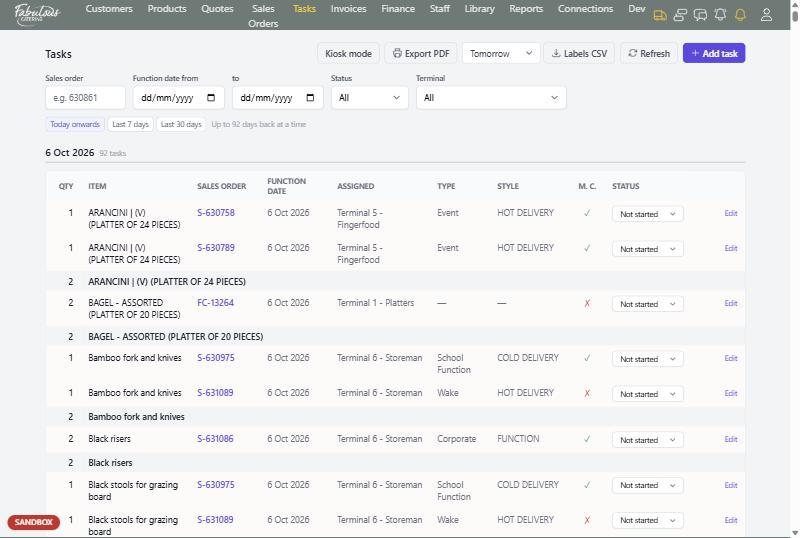
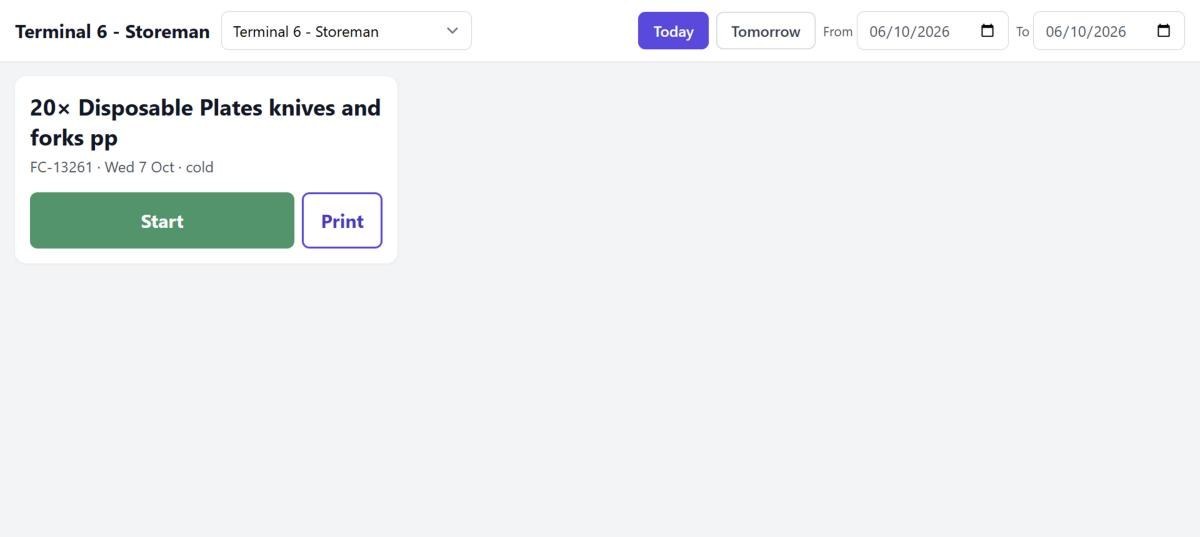
Every product on every order becomes a task on the station that makes it. Kiosk mode puts big cards and label printing on a tablet at each station.
No handwritten docketsNo missed items
The task board, with a total to make for each item across all orders.
Kiosk mode: Start, Print and Stop on each card.
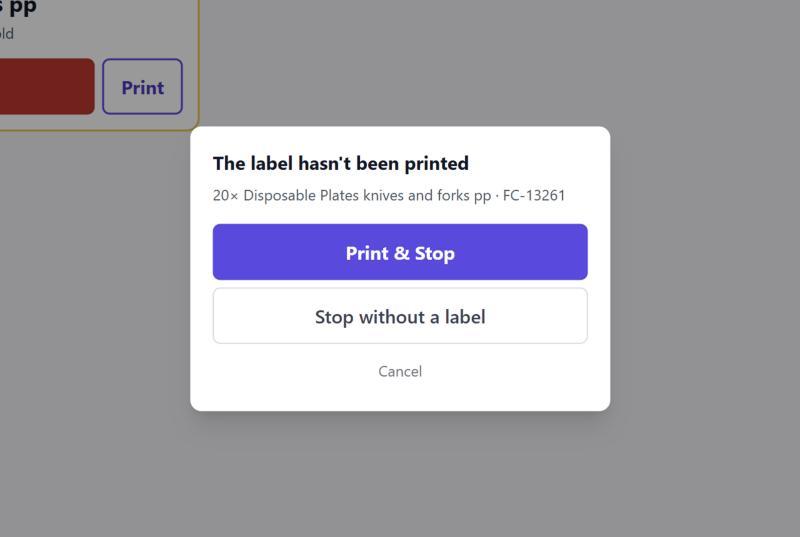
A reminder when a task is stopped before its label is printed.
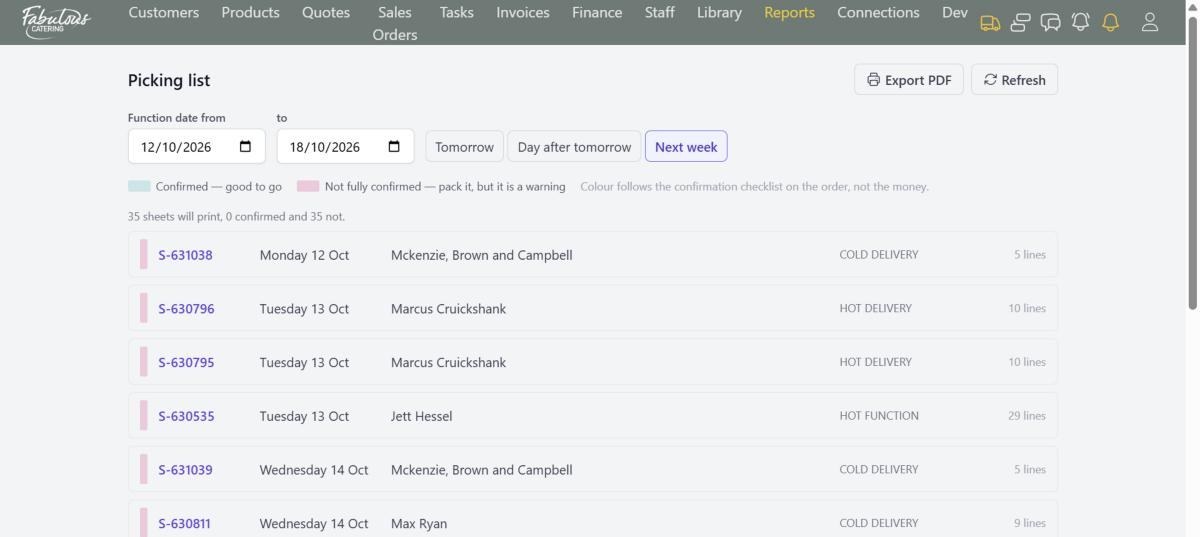
Picking lists for the warehouse, green when confirmed.
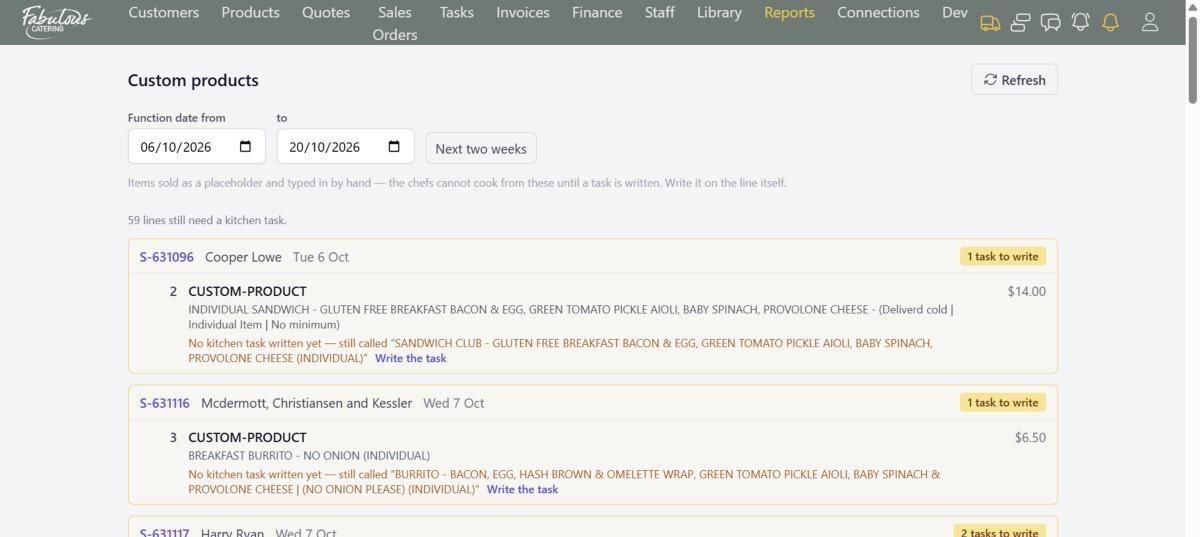
Hand-typed items that still need a kitchen task.
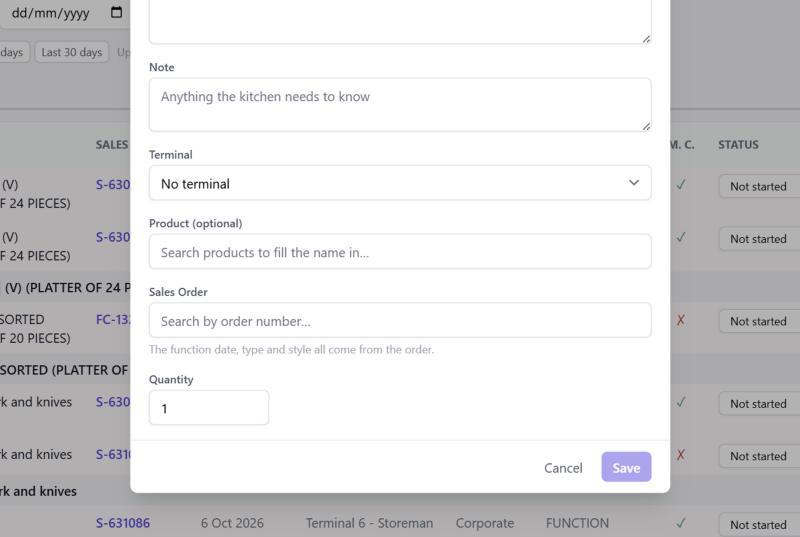
Add a task by hand for anything the order doesn't cover.

Invoices & payments

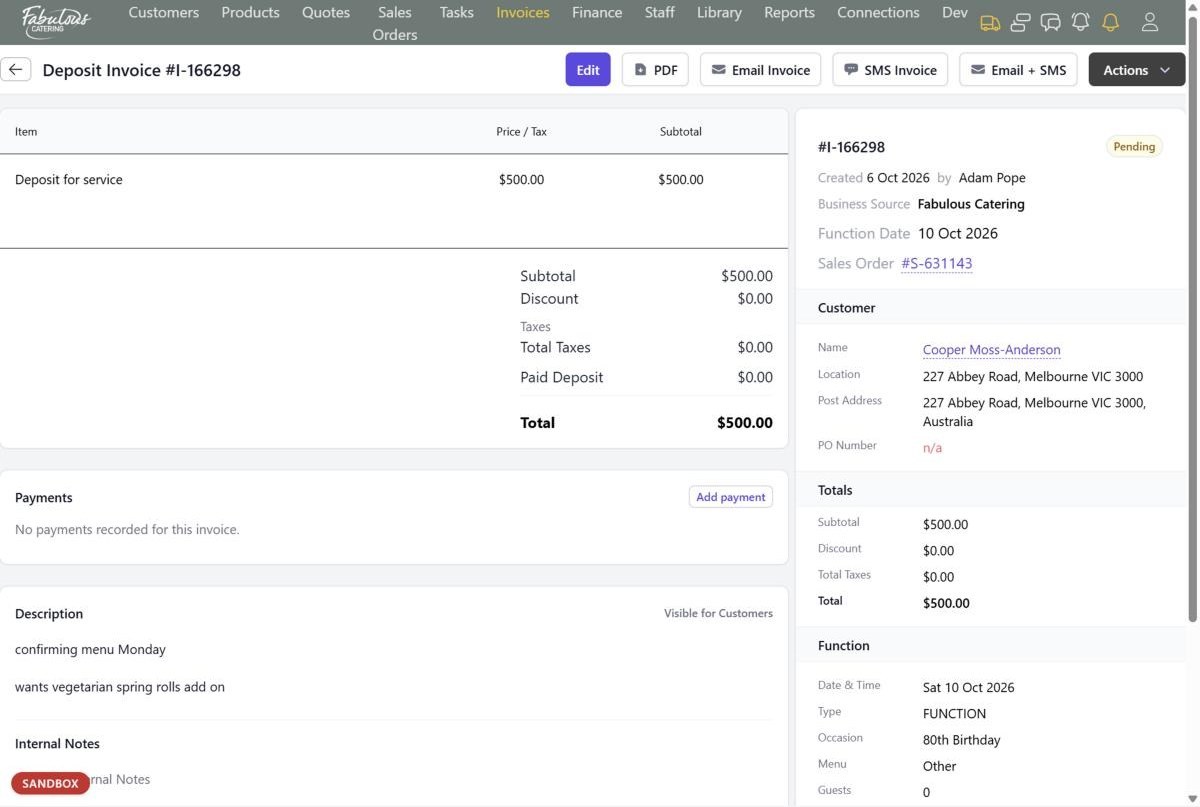
Deposit and final invoices are raised from the order in one click. Charge a card through Stripe or record a transfer, and it all goes to Xero.
No re-keying into XeroNo chasing who paid
An invoice with its lines, payments, order link and customer.
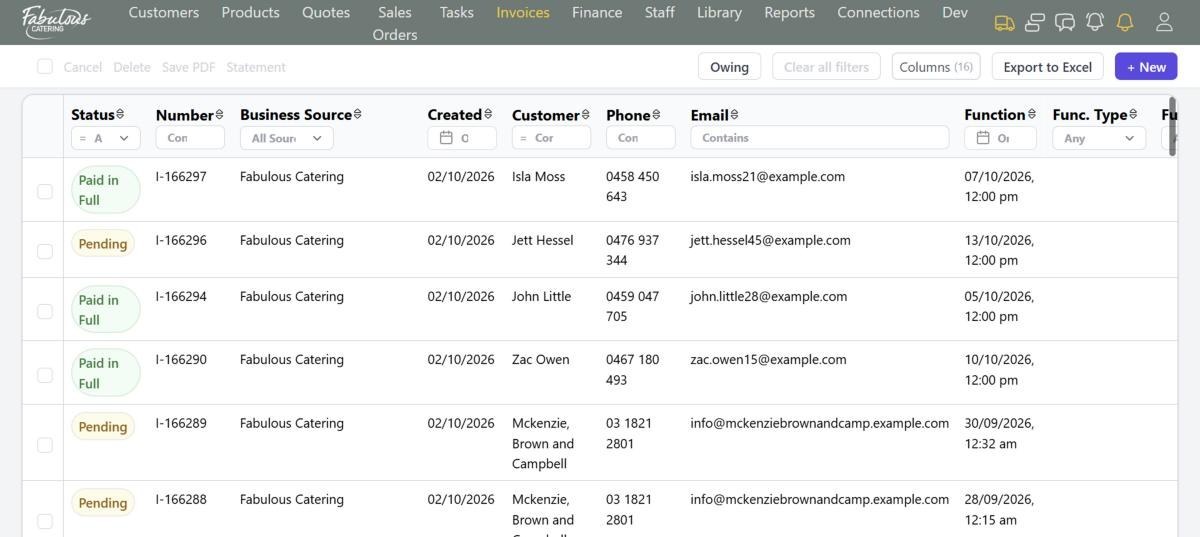
The invoices list, with Owing and statements.
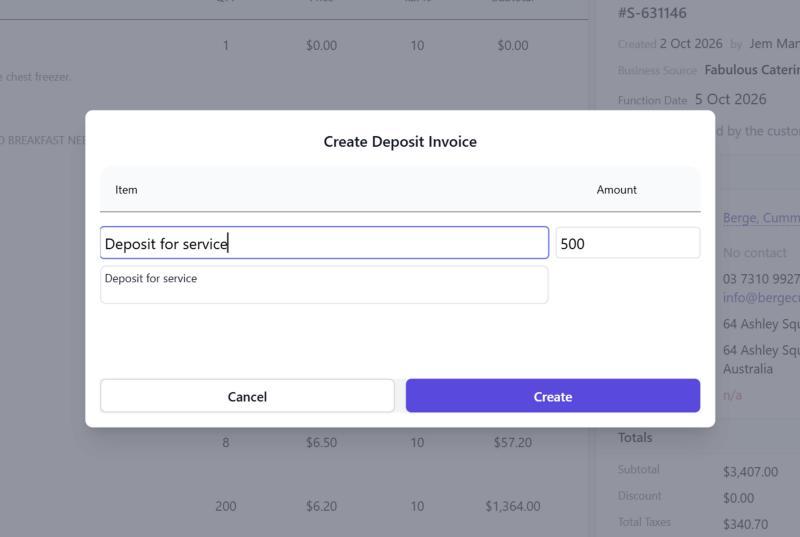
Create a deposit invoice from the order.
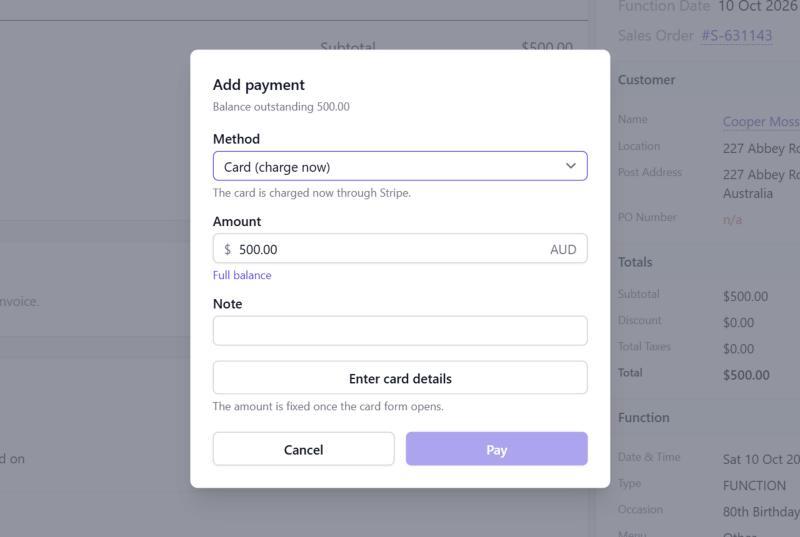
Charge a card straight from the invoice.
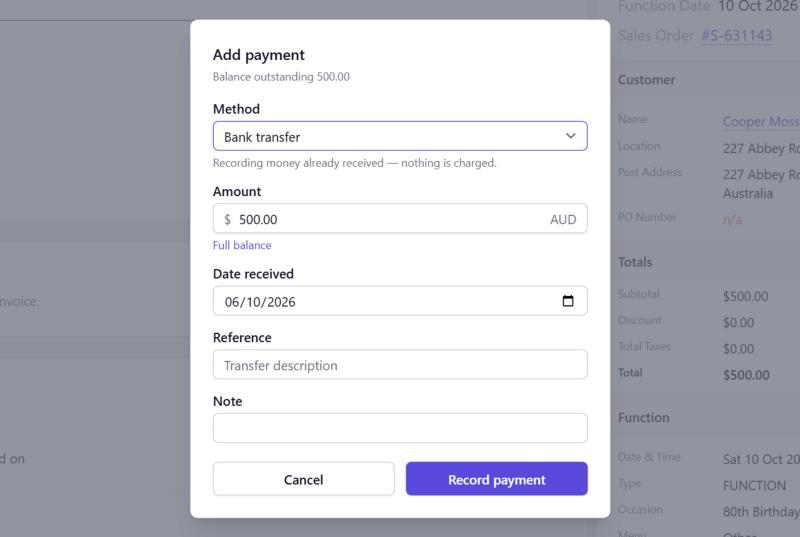
Record a bank transfer, cash or cheque.
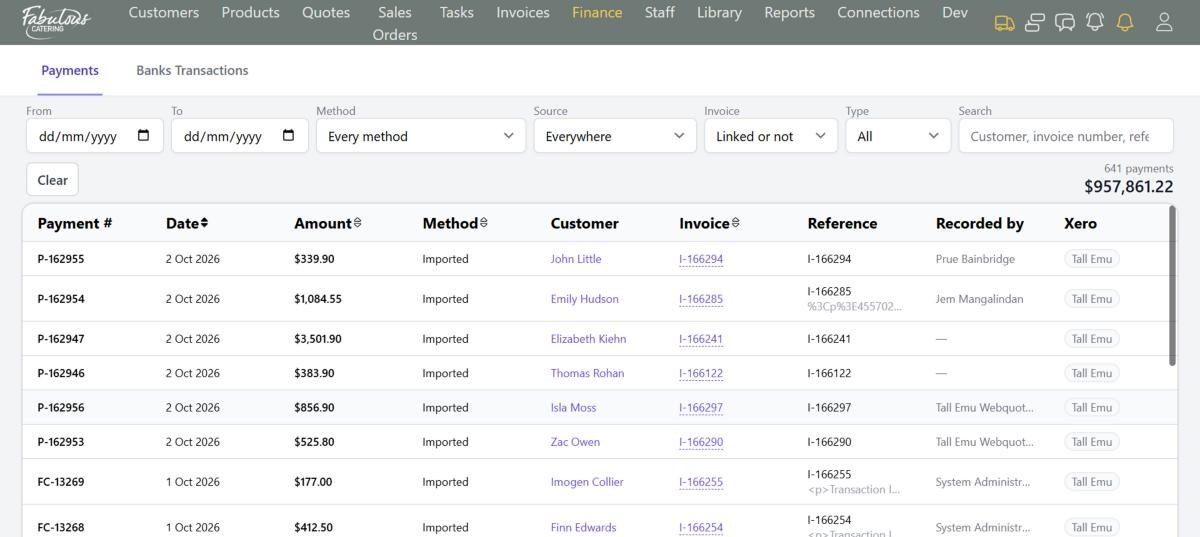
Every payment and refund in one list, with its Xero status.

Reports

Ten reports answer the questions you ask every week, and several email themselves on a schedule.
No building reports in ExcelNo Monday-morning number crunching
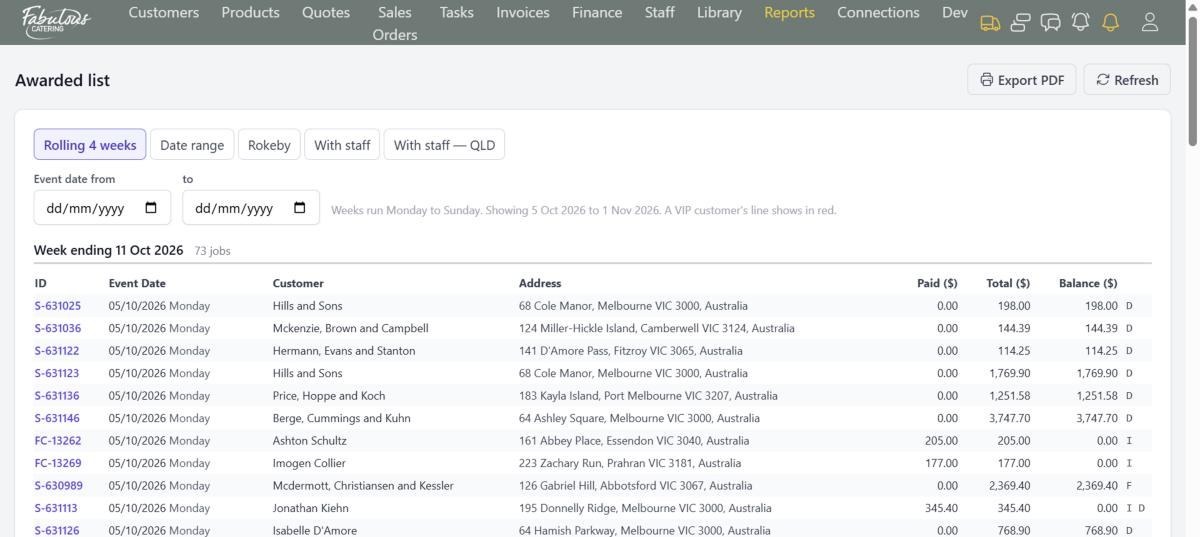
The Awarded list: confirmed jobs week by week, with paid and owing.
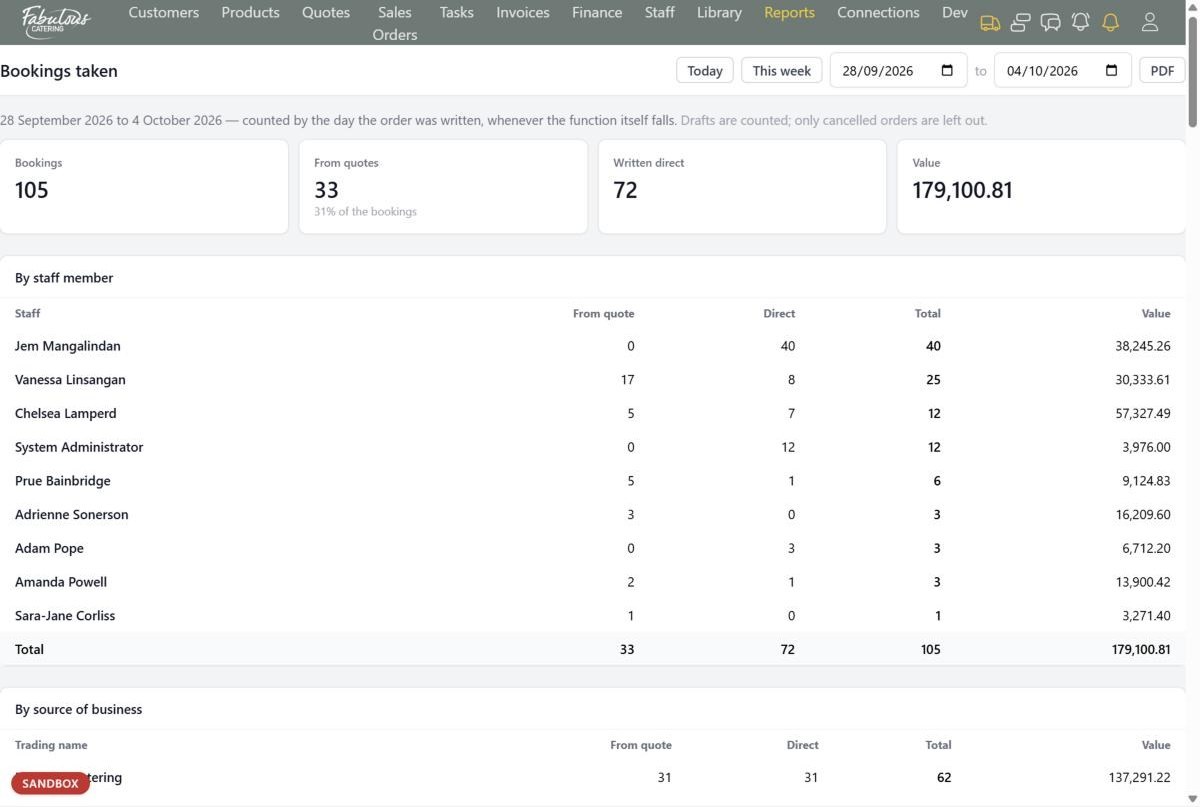
Bookings taken, by person and by trading name.
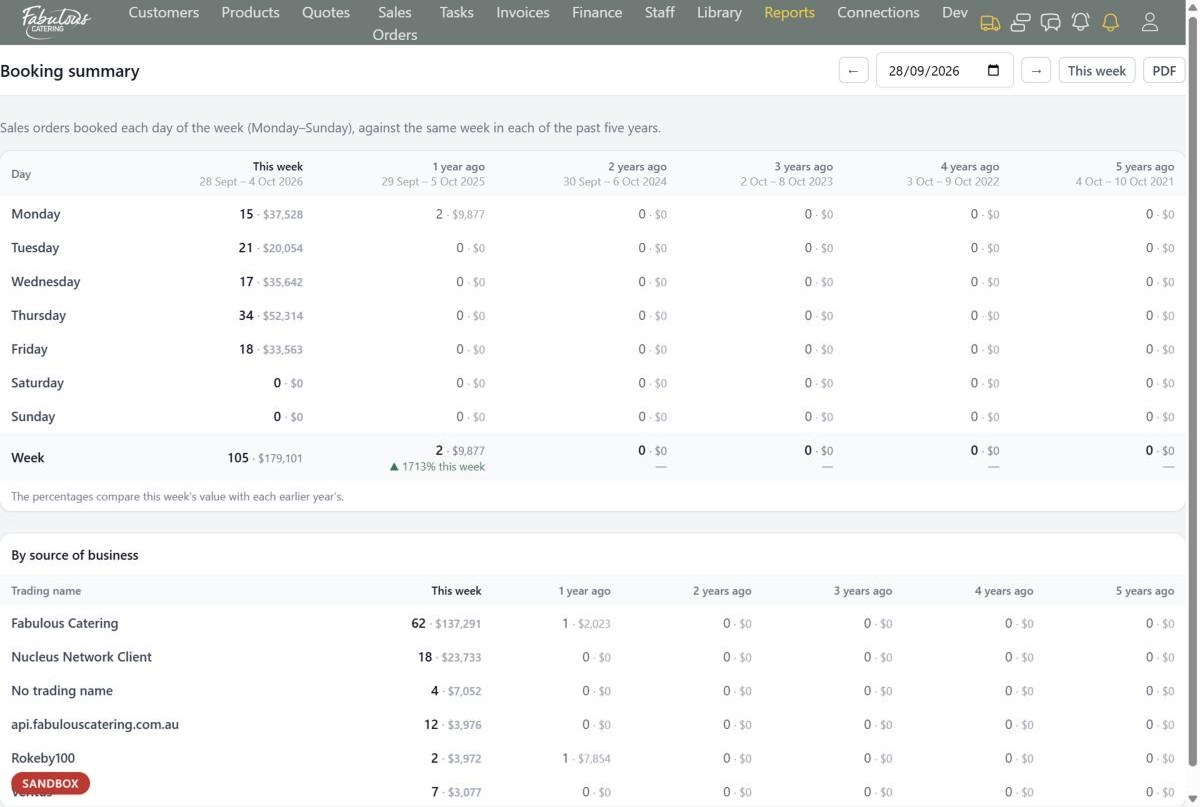
This week against the same week in the past five years.
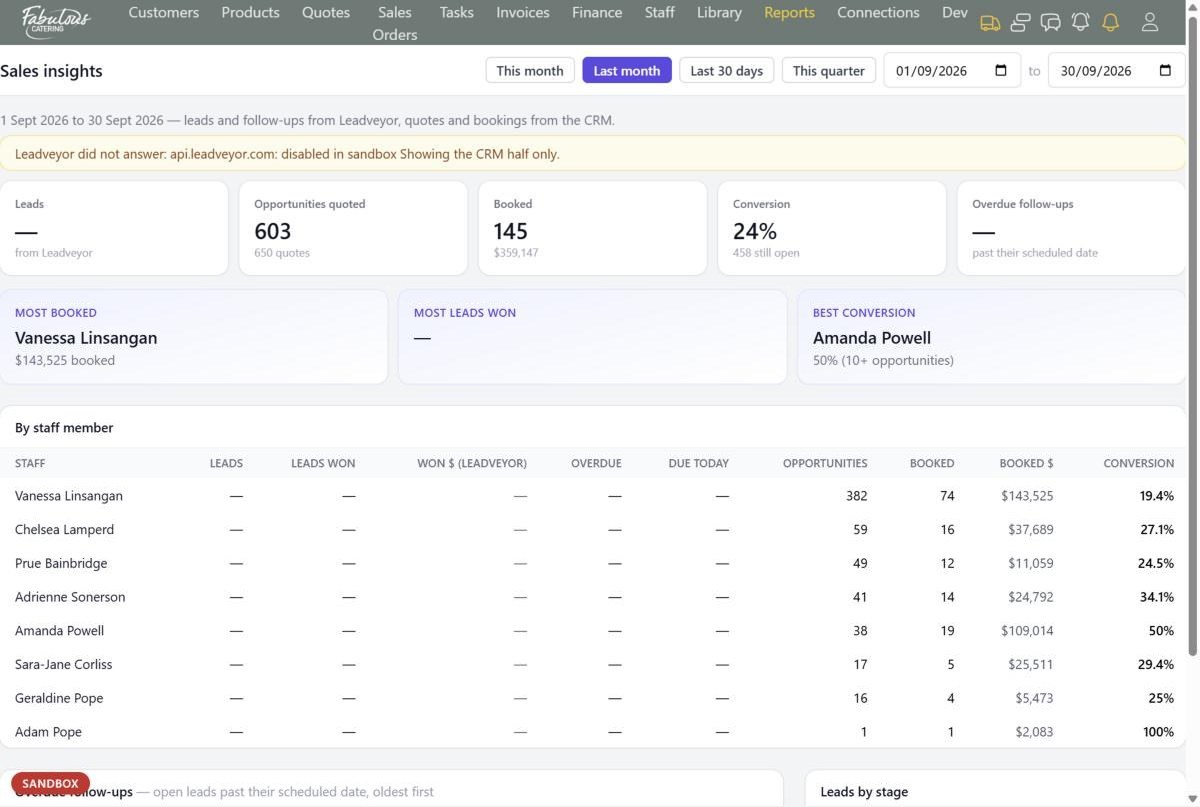
Sales insights: leads, follow-ups and bookings per person.
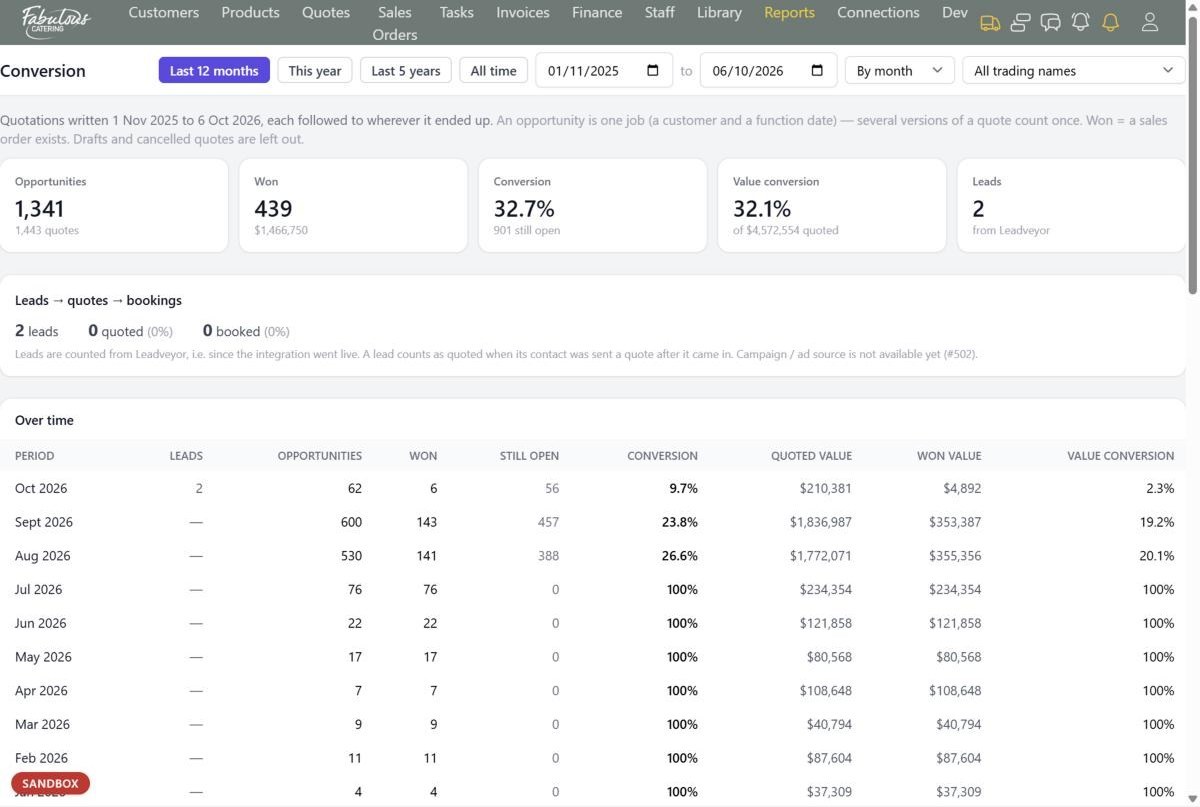
Conversion from leads to quotes to bookings.
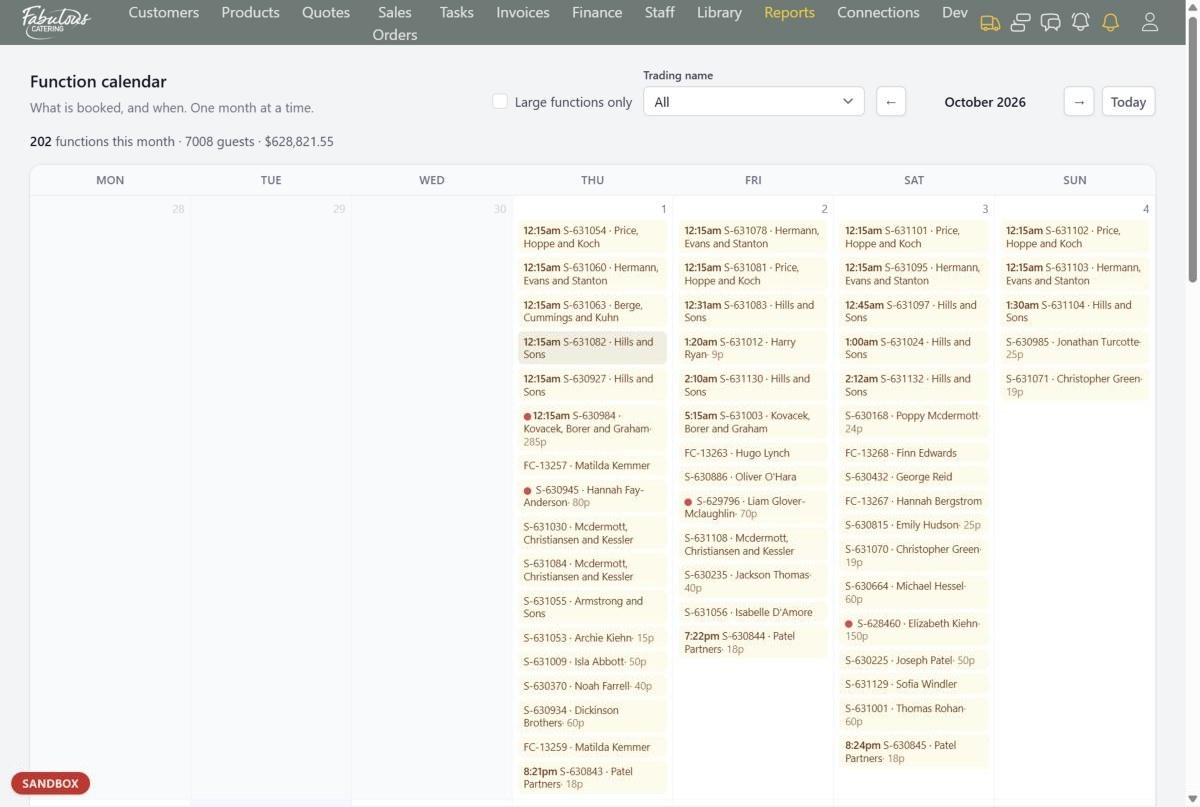
The function calendar, one month at a time.
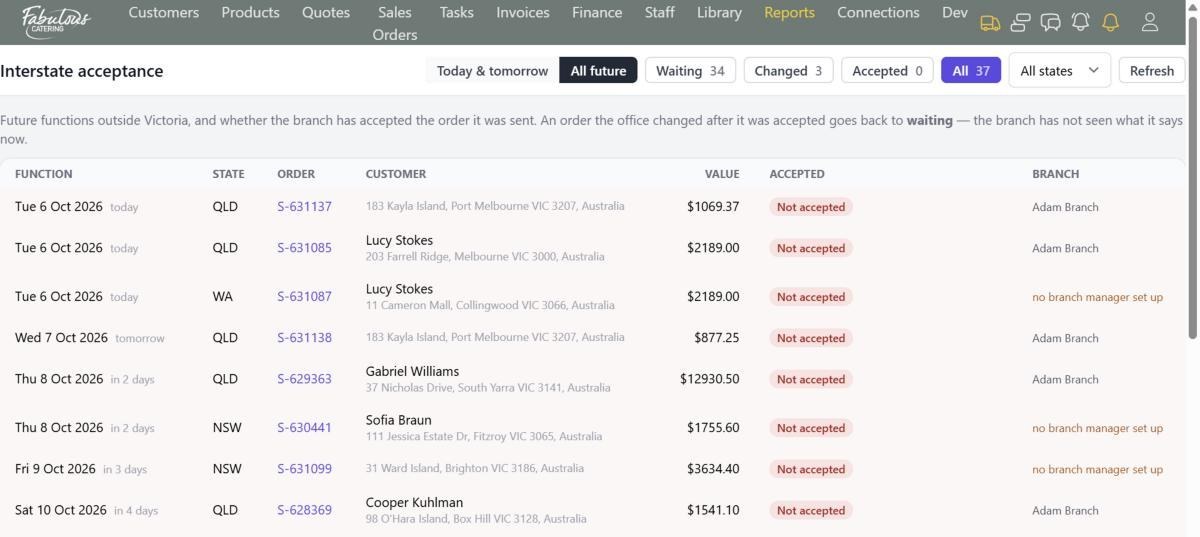
Interstate acceptance: has the branch accepted its orders?

Connections

Set up once by a manager, then data flows on its own.
No copying between systems
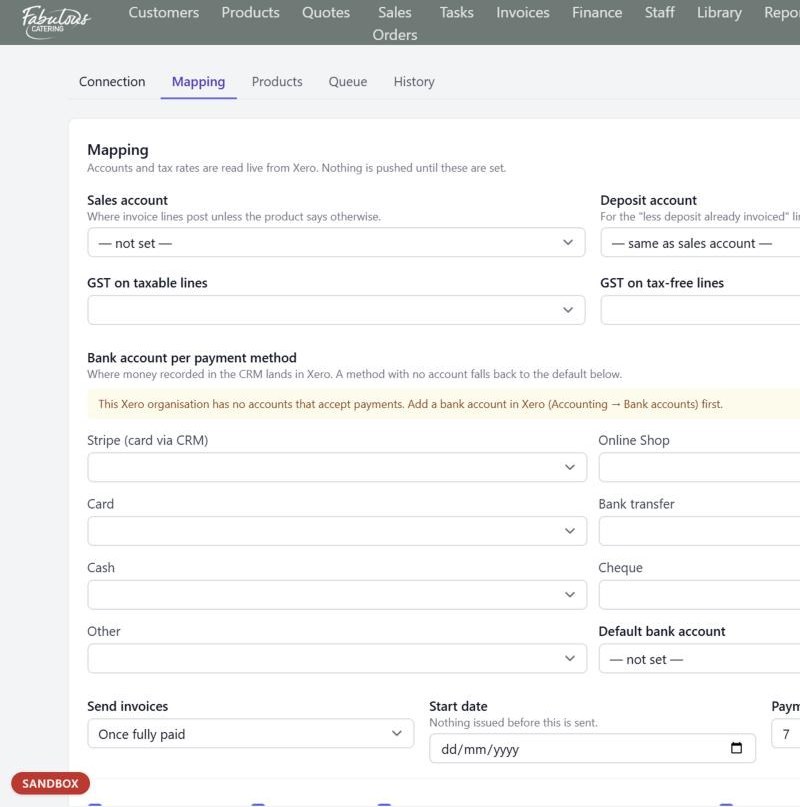
Xero mapping: accounts, tax codes and a bank account per payment method.
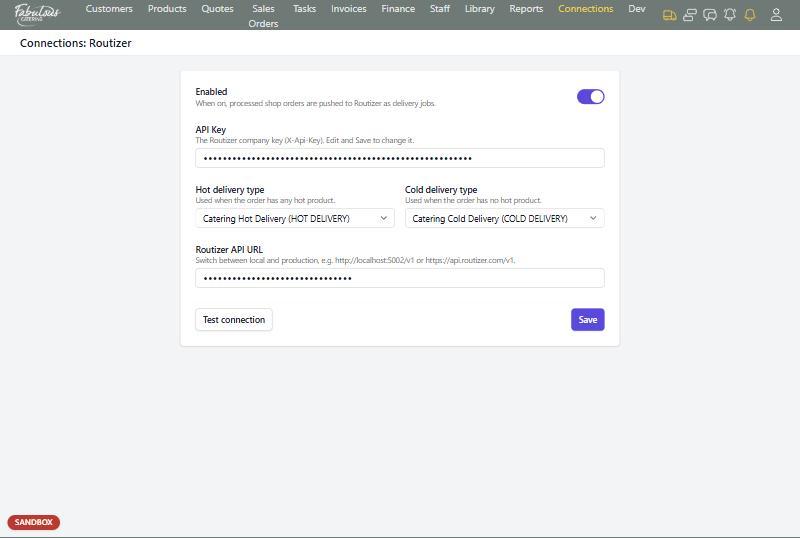
The Routizer connection: hot and cold delivery types.
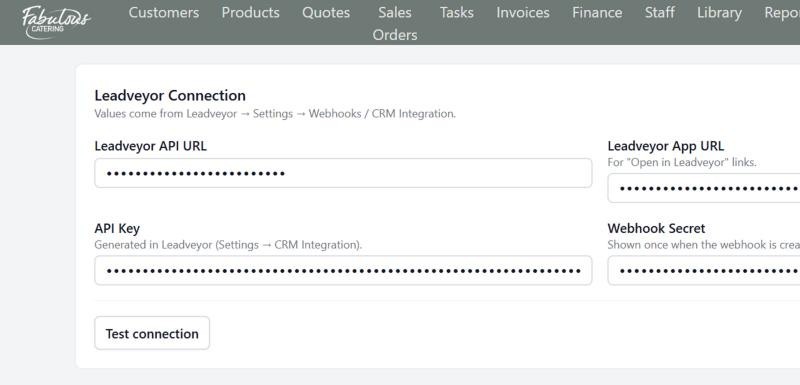
The Leadveyor connection.
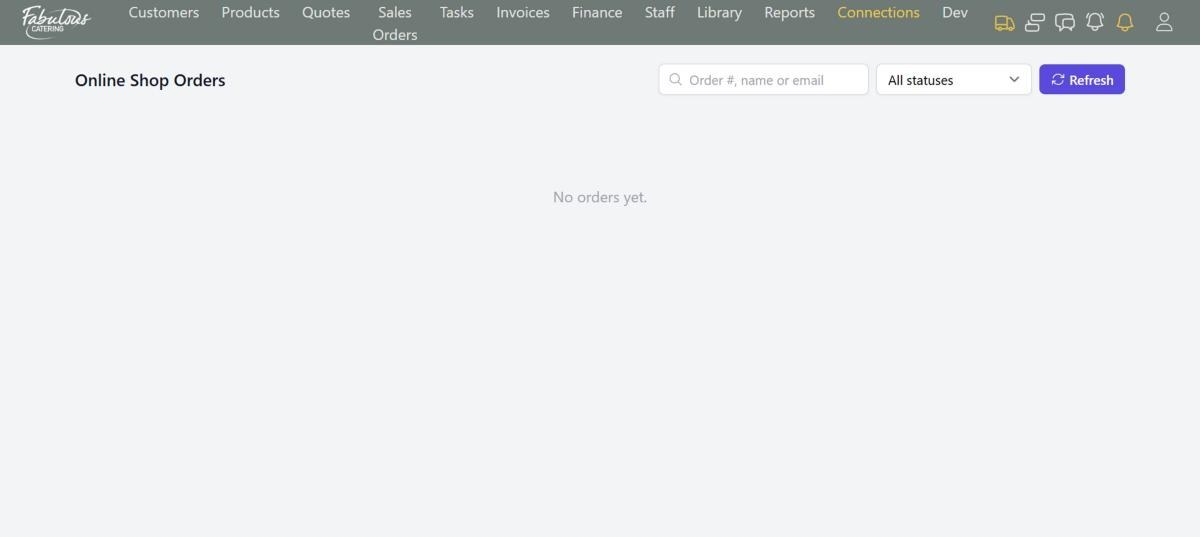
Online shop orders waiting to be processed.

Everyday tools

The small things that save time every day.
No asking what was sent
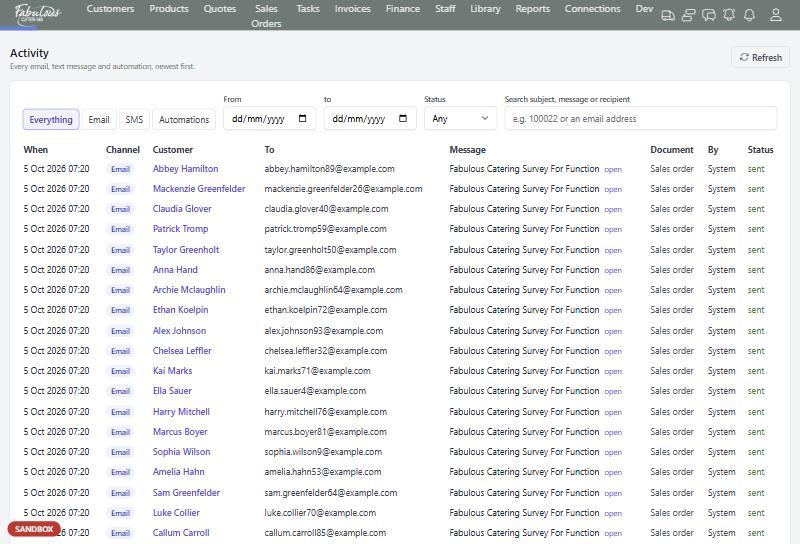
Activity: every email, text and automation the system has sent.
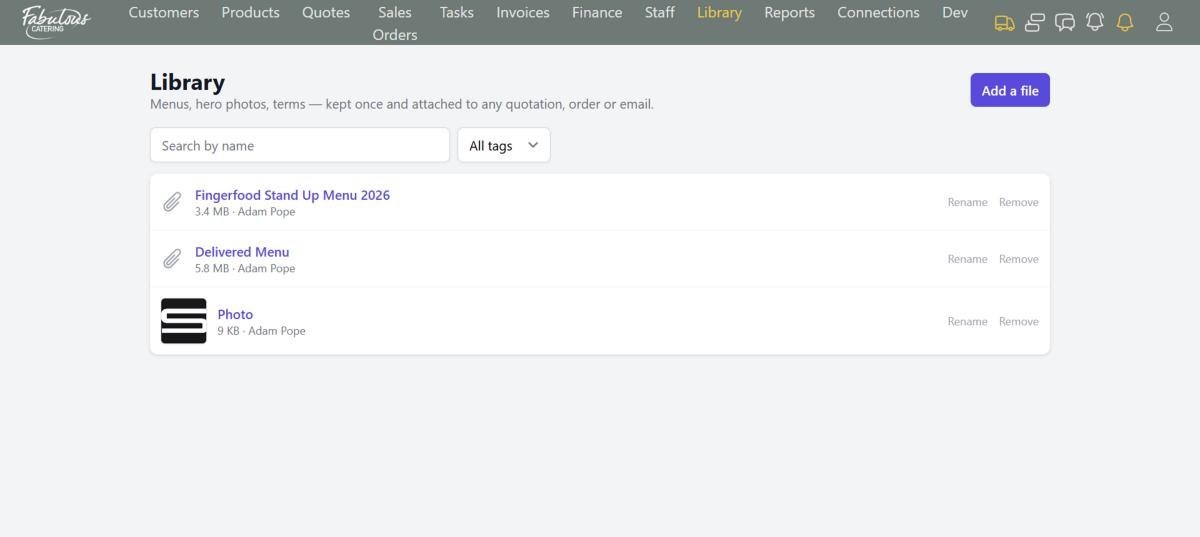
The Library: menus and terms kept once, attached anywhere.
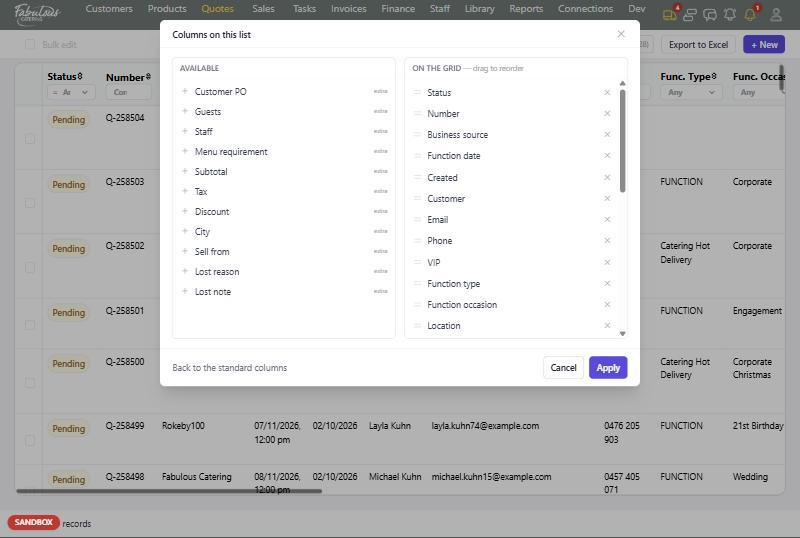
Pick the columns on any list. Your layout is saved to your login.

Want to see it with your own menu?

Book a 30-minute demo and we'll set up a few of your real products.

Book a demo