Catering order management that confirms every job the same way.
An accepted quote becomes a sales order with everything carried across. It drives the kitchen tasks, the delivery, the invoices and the reports, and it isn't finished until the 16-point confirmation is done.
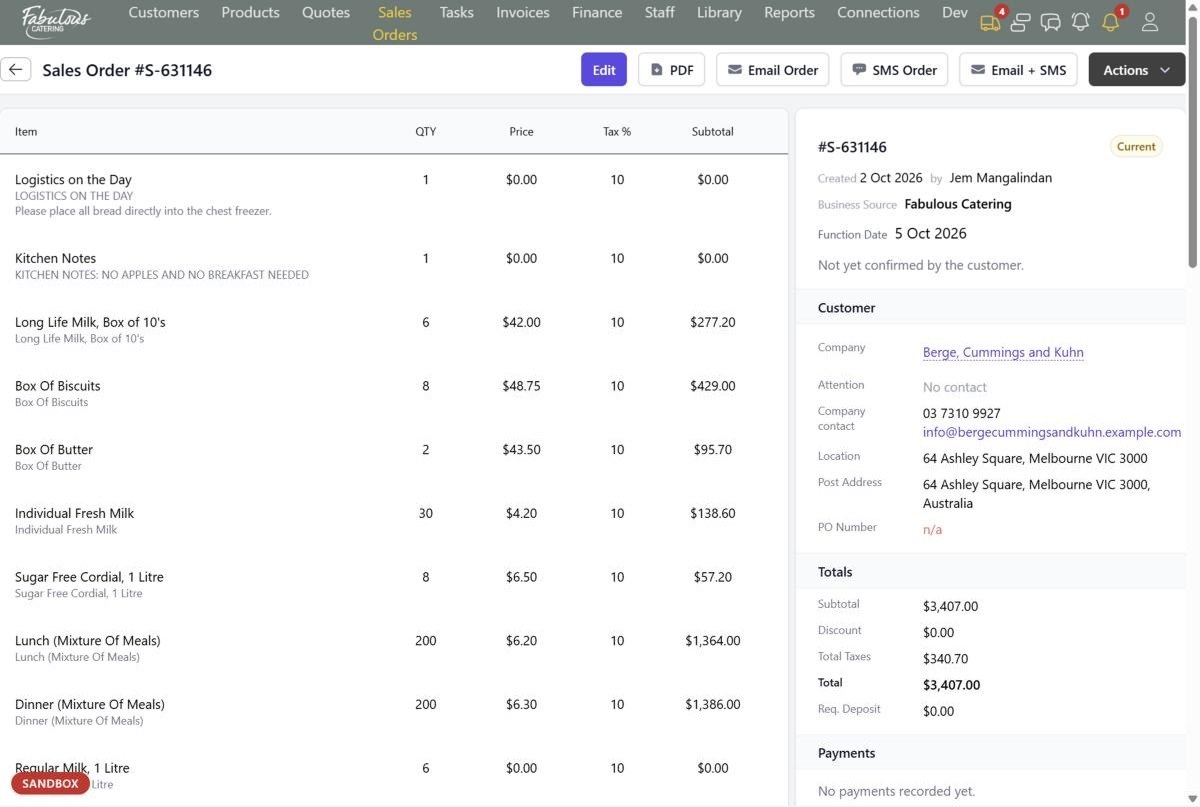
Where orders come from
An accepted quote, a booking taken directly, or an order from your online shop. All three end up as the same kind of sales order.
- Customer, items, function details, notes and deposit carried across
- Status from Draft to Current, Invoiced and Paid
- Every change logged with who and when
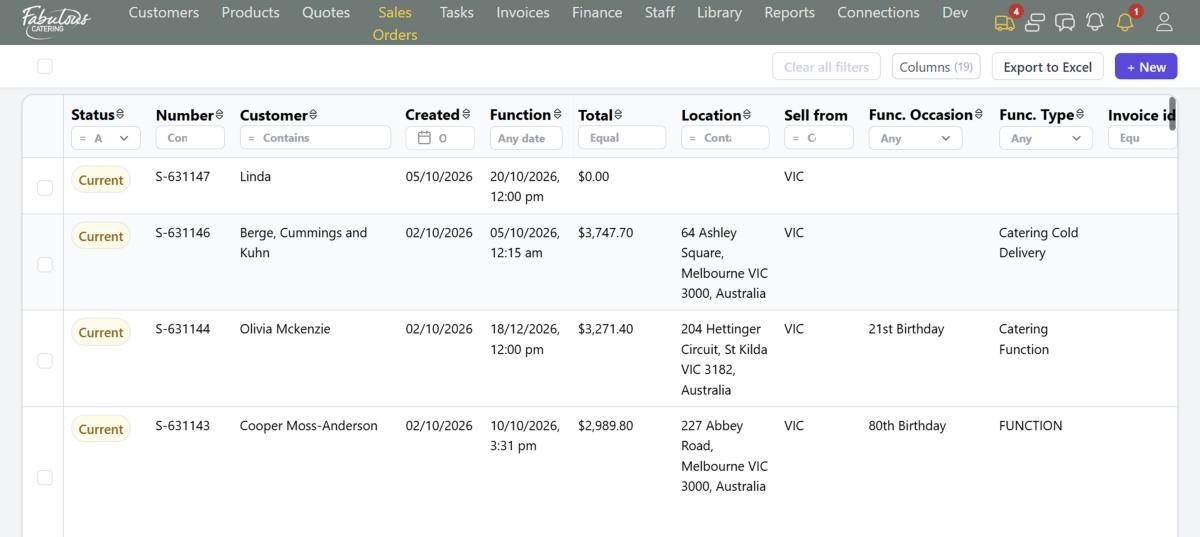
The 16-point confirmation
Correct date, complete address, contact on the day, parking, guests, menu, dietaries, service time, kitchen on site, equipment hire, notes, email sent, verbal confirmation, remittance, PO number and payment.
- Start confirmation walks through one question at a time
- Each step highlights the field it's asking about
- Unticked points show red on the confirmation register
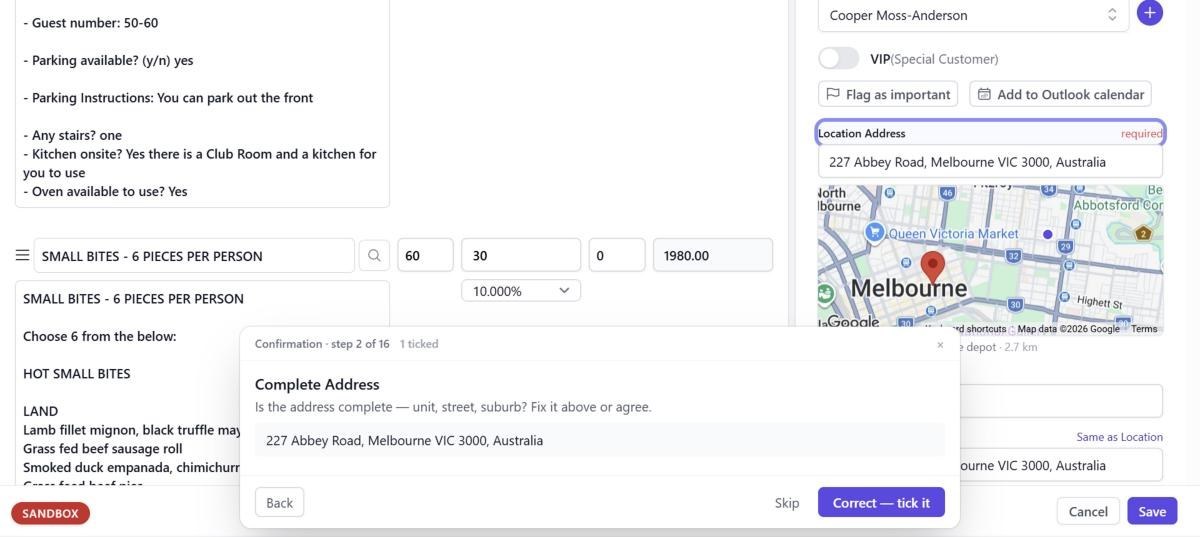
The customer's own booking page
Each order has a page for the customer with a progress bar from quote to payment to event. They confirm their function item by item, ask a question, request changes or pay.
- Pay Now for the deposit or the balance
- Their confirmation marks the order as confirmed by the customer
- Change requests come straight back to the office
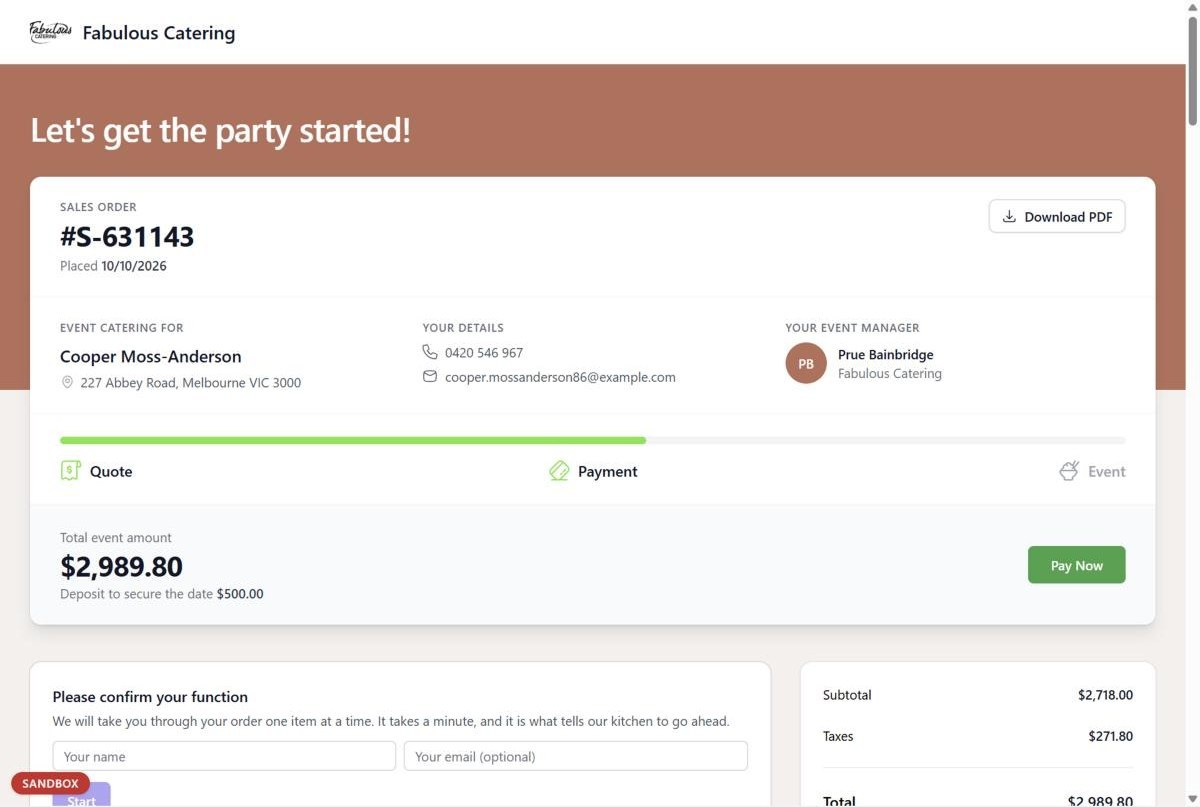
Interstate branches
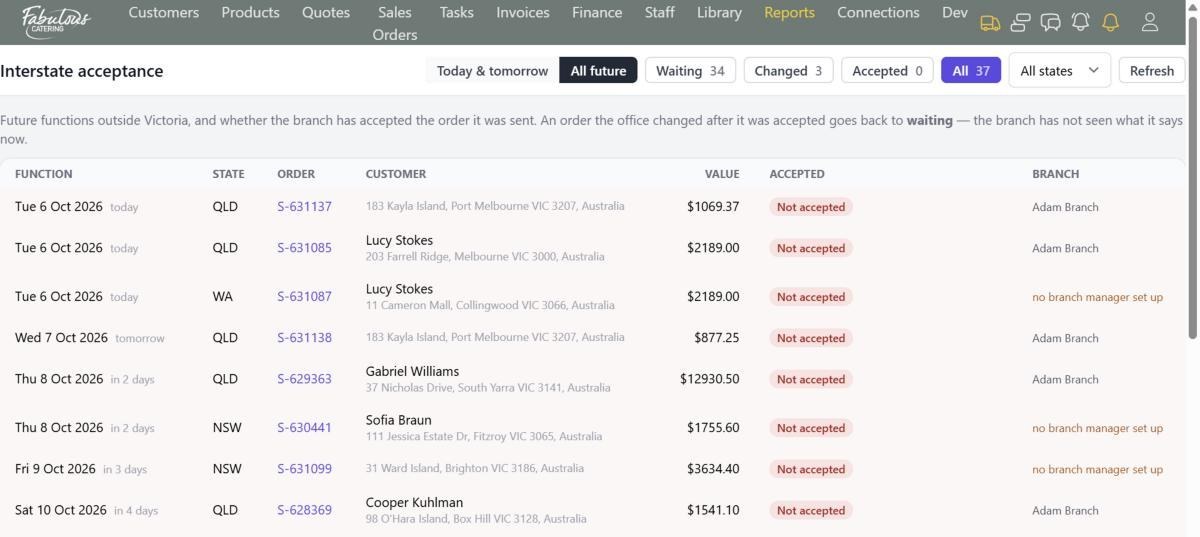
Orders for functions in another state go to that branch manager to accept. If the office changes the order afterwards, it goes back for the branch to see.
- A truck icon counts orders due today and tomorrow
- The Interstate acceptance report shows what's waiting
- Branch managers see only their branch's orders
Four steps, most of them automatic.
Quote accepted
The sales order is created with everything carried across.
Kitchen tasks created
Each product becomes a task on its station.
Confirm with the customer
Work through the 16-point checklist.
Invoice
Raise the deposit and final invoices from the order.
Sales orders & confirmation: common questions
Can I take a booking without a quote?
Yes. Create a sales order directly. Reports count it as written direct.
Who confirms each order?
Each order is assigned to a person, who sees it on their Dashboard and the bell icon.
Works together with the rest of the day.
See sales orders & confirmation with your own menu.
Start a 14-day free trial, or book a 30-minute demo.