Catering kitchen production software, station by station.
Save an order and every product on it becomes a task, sent to the station that makes it. Chefs work from a big-card kiosk screen, print labels as they go, and the office sees progress live.
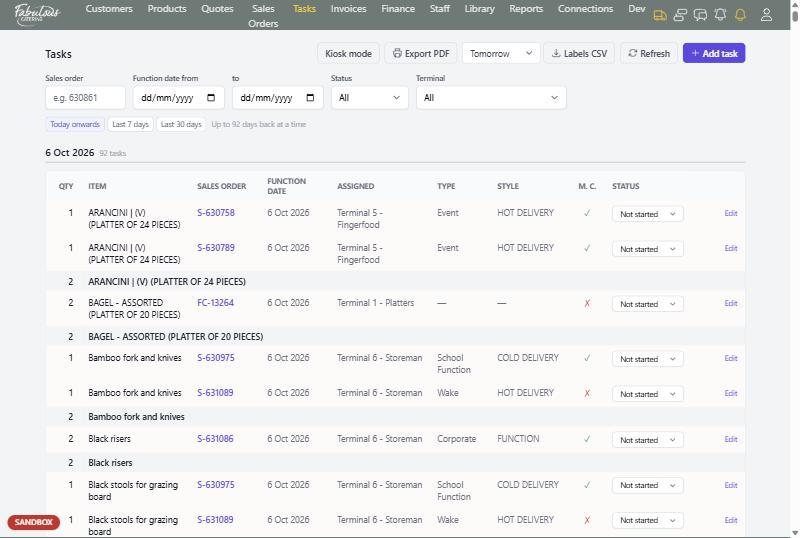
A task for every item
Tasks are grouped by function date, then by item, with a total to make across all orders and a row for each order underneath.
- Packages split into one task per item
- A menu-confirmed tick so chefs know if quantities may change
- Status: not started, in progress or done
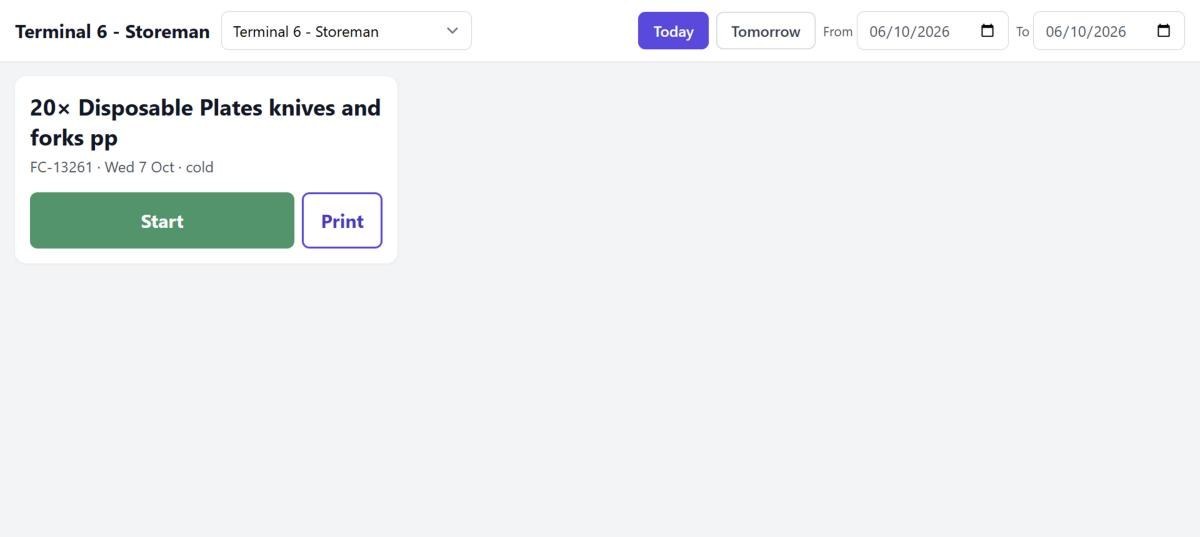
Kiosk mode at each station
A full-screen view for a tablet at the station. Choose the terminal once and the screen remembers it.
- Large cards with the quantity, item, order and hot or cold
- Start, Print and Stop on each card
- A prompt when a task is stopped before its label is printed
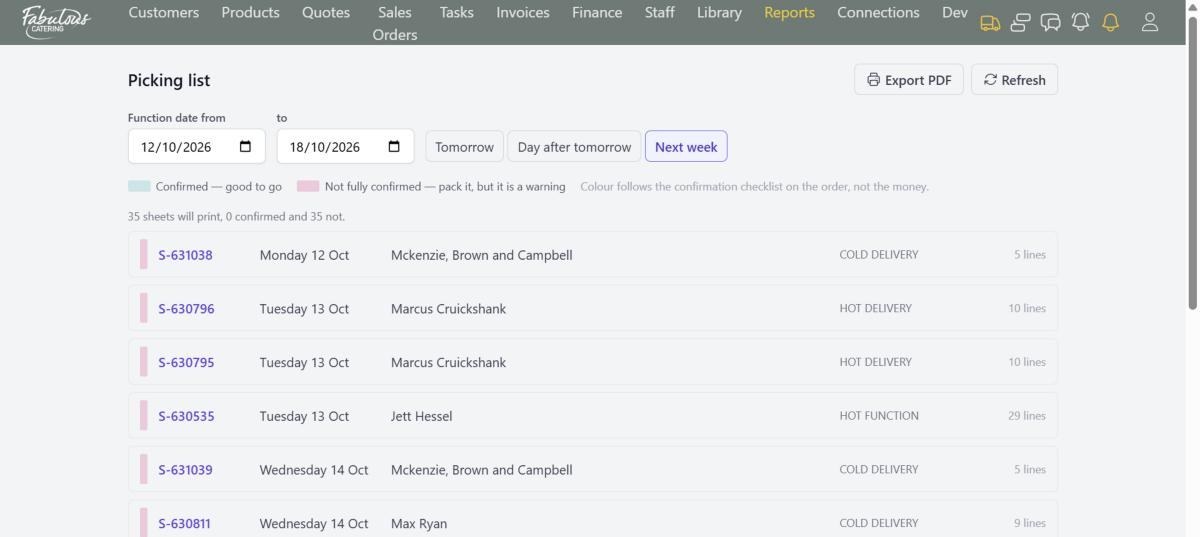
Picking lists and custom items
The warehouse prints packing sheets for a day or week, green when the job is confirmed. Hand-typed items show up until someone writes their kitchen task.
- Picking list PDF for one order or a whole day
- Labels CSV for the label printer
- Custom products report so nothing is cooked from guesswork
Four steps, most of them automatic.
Order saved
Each product becomes a task.
Sent to the station
Tasks go to the terminal set on the product.
Cook and label
Start, Print and Stop on the kiosk.
Pack
Picking lists print for the warehouse.
Kitchen production: common questions
Can I add a task the order doesn't cover?
Yes. Add a task by hand with a name, note, terminal and quantity.
What stops fees creating kitchen tasks?
Products can be marked No production task, so fees and notes never reach the kitchen.
Works together with the rest of the day.
See kitchen production with your own menu.
Start a 14-day free trial, or book a 30-minute demo.