Catering lead management: call the best enquiries first.
Leadveyor reads every catering enquiry, works out the event, guest count and date, and ranks it by how valuable and urgent it is. The lead then flows into BooperCRM, ready to quote, so nobody sorts an inbox by hand.
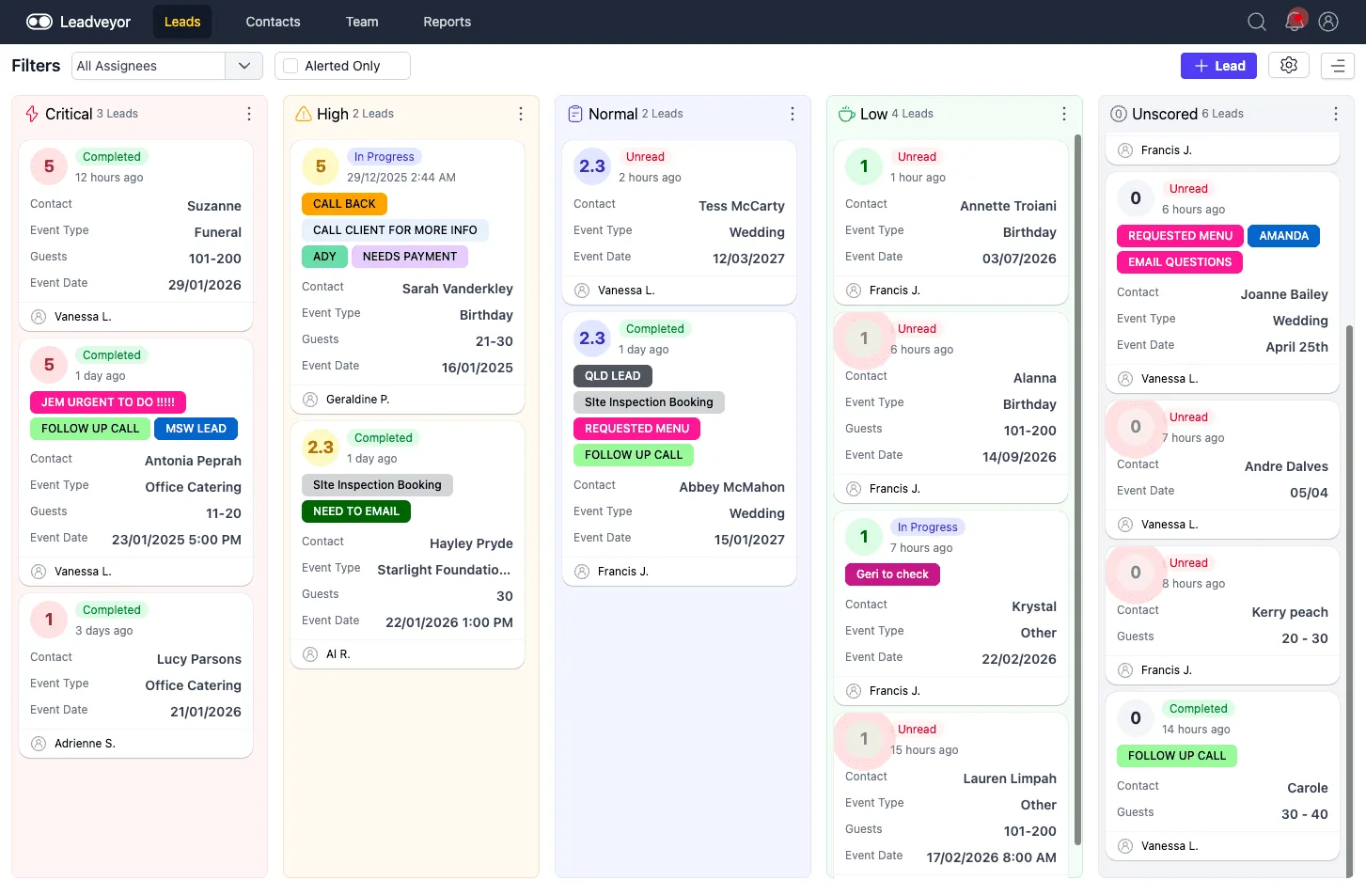
Leadveyor: weddings, birthdays, funerals and office catering, sorted by priority with the assigned salesperson on each card.
Four steps between a new enquiry and a quote in the customer's inbox.
Every source, one queue
Website forms, emails, Google Forms, Unbounce, Framer, Zapier and n8n all land in the same place.
No checking five inboxesRead and scored
The enquiry is parsed for contact details, event type, guests and date, then scored from Critical to Low.
No copying details by handInto BooperCRM
Each lead event arrives as it happens and is matched to the contact. Duplicates are merged, history kept.
No duplicate customersQuote from a template
Start a quote from the contact, apply a menu template scaled to the guest count, and send it.
No building quotes from scratchA 200-guest wedding shouldn't wait behind a spam form.
Every lead gets a score based on likely value, urgency and fit, and drops into a column your team can work top to bottom.
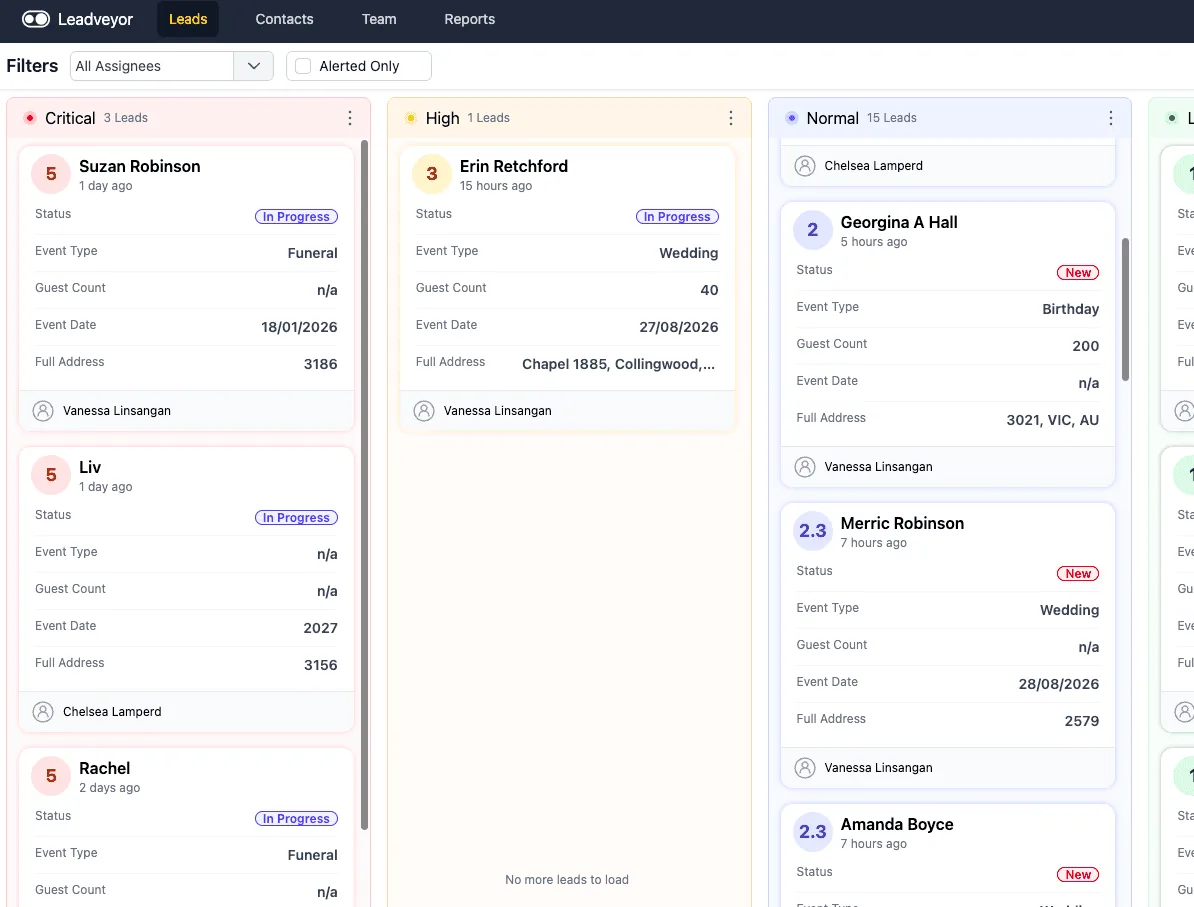
Each card shows the score, status, event type, guests, date and who owns it.
The details are pulled out for you
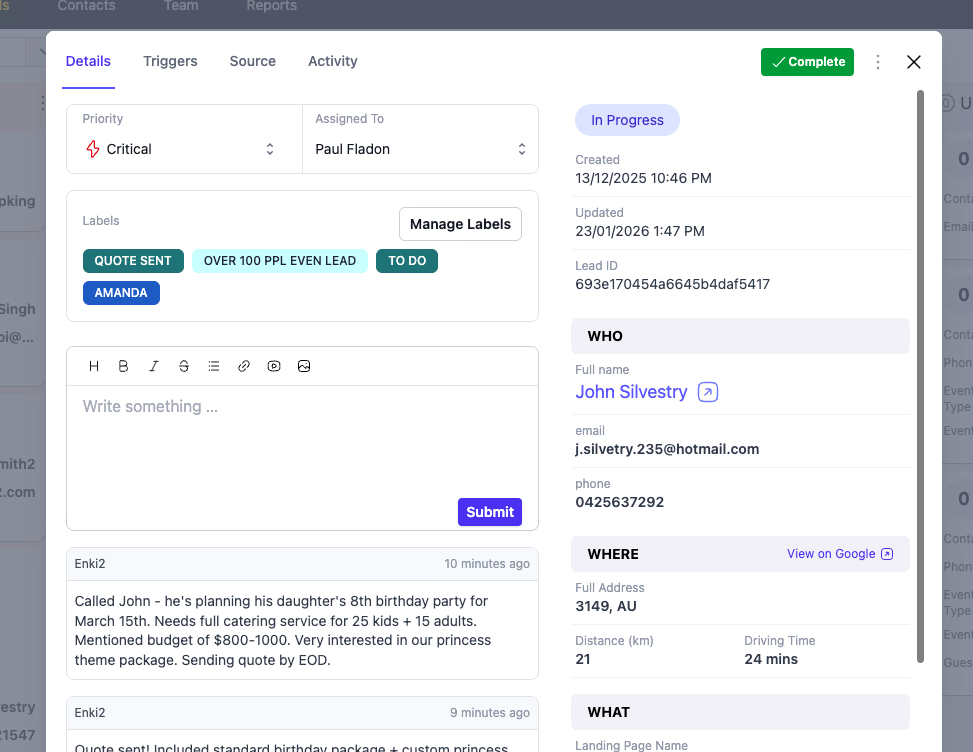
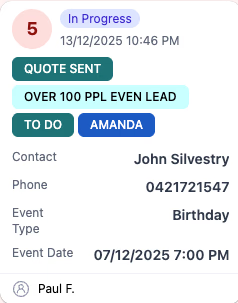
Leadveyor reads the message the customer actually wrote and fills in the fields. Your salesperson opens the lead and already knows who, what, when and how many.
- Name, email and phone extracted and checked
- Event type, guest count, date and suburb filled in
- Tags and routing rules assign the lead to the right person
- Repeat customers matched to their existing record
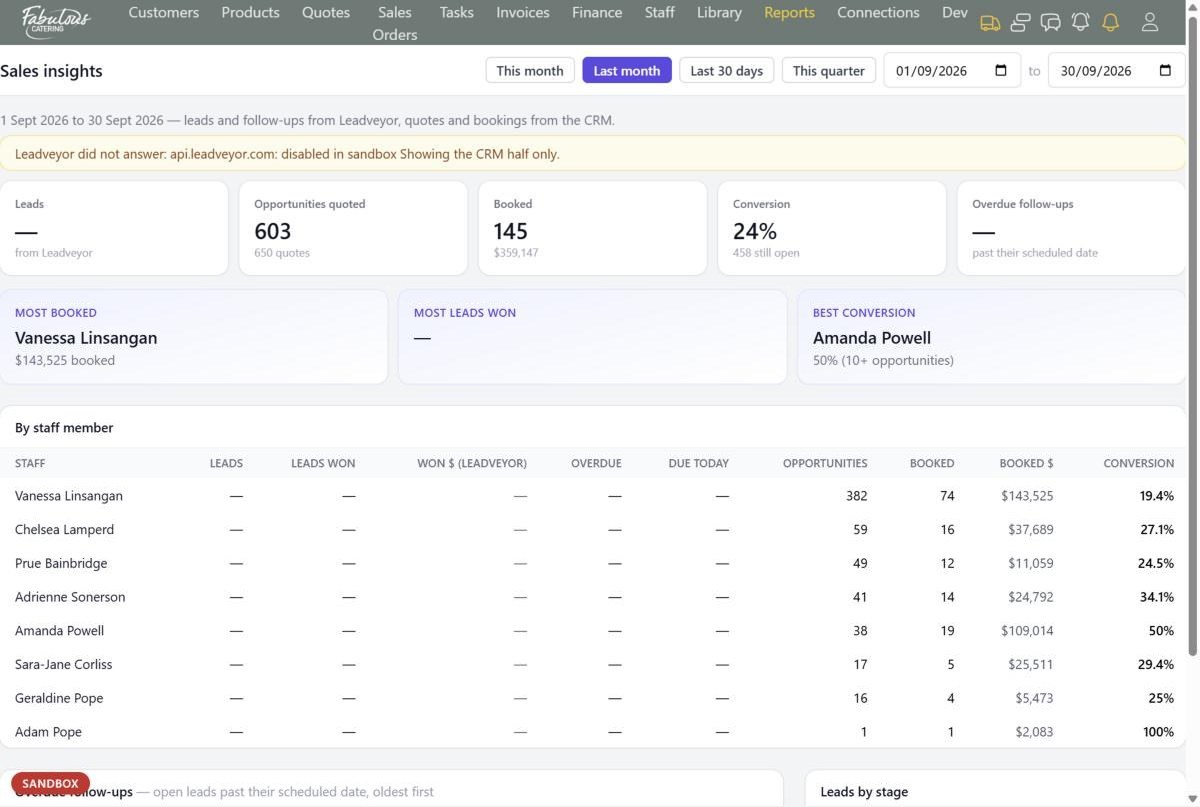
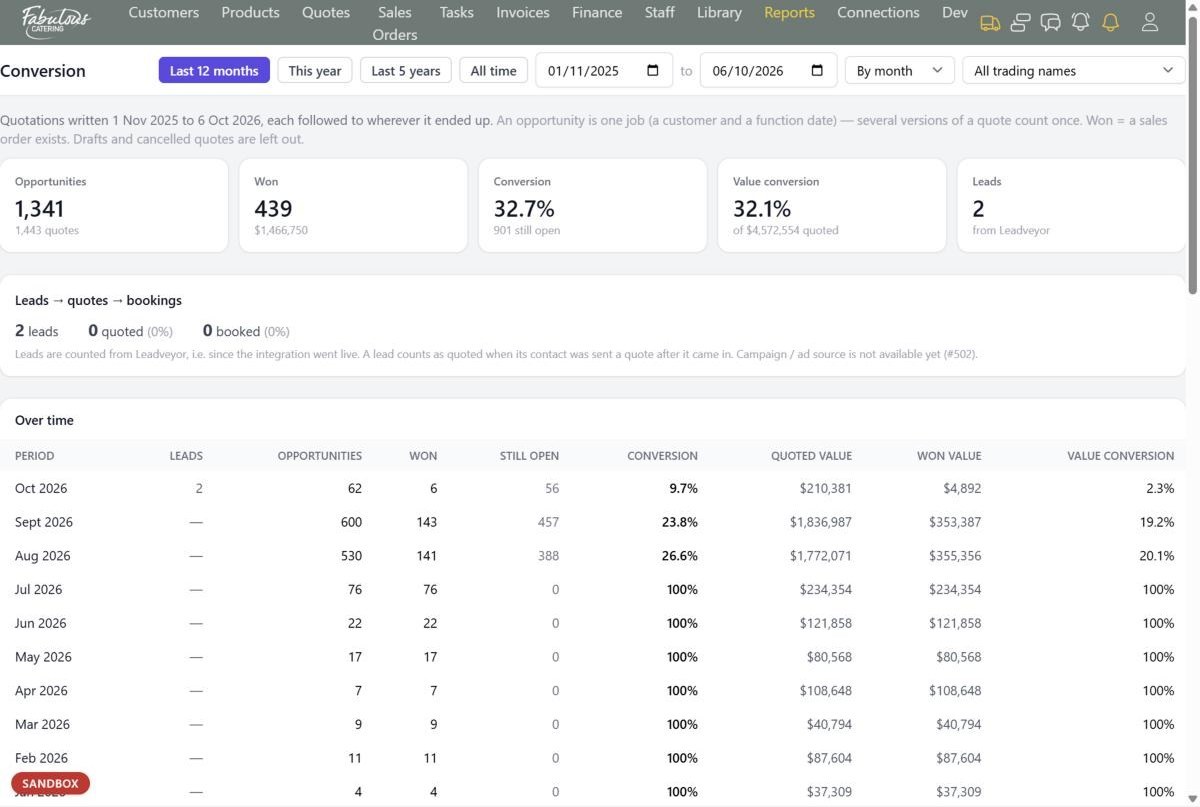
See which leads turn into bookings, and who's converting them.
Because leads, quotes and bookings live together, BooperCRM can follow every enquiry all the way through.
Leadveyor tab on every contact
Open a customer and see every lead Leadveyor holds for them, next to their quotes, orders and invoices.
Overdue follow-ups
The Sales insights report lists open leads past their follow-up date, oldest first, for each salesperson.
Leads → quotes → bookings
The Conversion report shows how many leads were quoted and booked, by month, person, catering style and function type.
Stop losing big jobs in a busy inbox.
Book a demo and we'll run a few of your real enquiries through Leadveyor and BooperCRM.